

Key takeaways
Share rubrics directly with colleagues by email or publish them to the Teacher Share Library.
Share entire assignments via a live link — recipients get a full copy they can adapt.
Generate a share link anytime from the Content Library, even after an assignment is live.
Shared assignments mean consistent rubrics and feedback across classrooms without norming sessions.
Introduction
One of the most powerful parts of Enlighten.ai is not just the AI that helps teachers save time—it’s the incredible community of educators who bring creativity, expertise, and passion into the platform every day. The real magic comes from the brain trust of teachers and educators who are building, refining, and sharing assignments, rubrics, and resources with one another.
We hear every day about teachers sharing content with each other in EnlightenAI, and so today we’re excited to announce new updates that make it even easier to collaborate with your fellow teachers.
Share Rubrics with Ease
Before we dive into sharing assignments, we want to highlight that you have always been able to share rubrics in EnlightenAI!
From your rubrics page, you can click Share and then you'll see this screen:
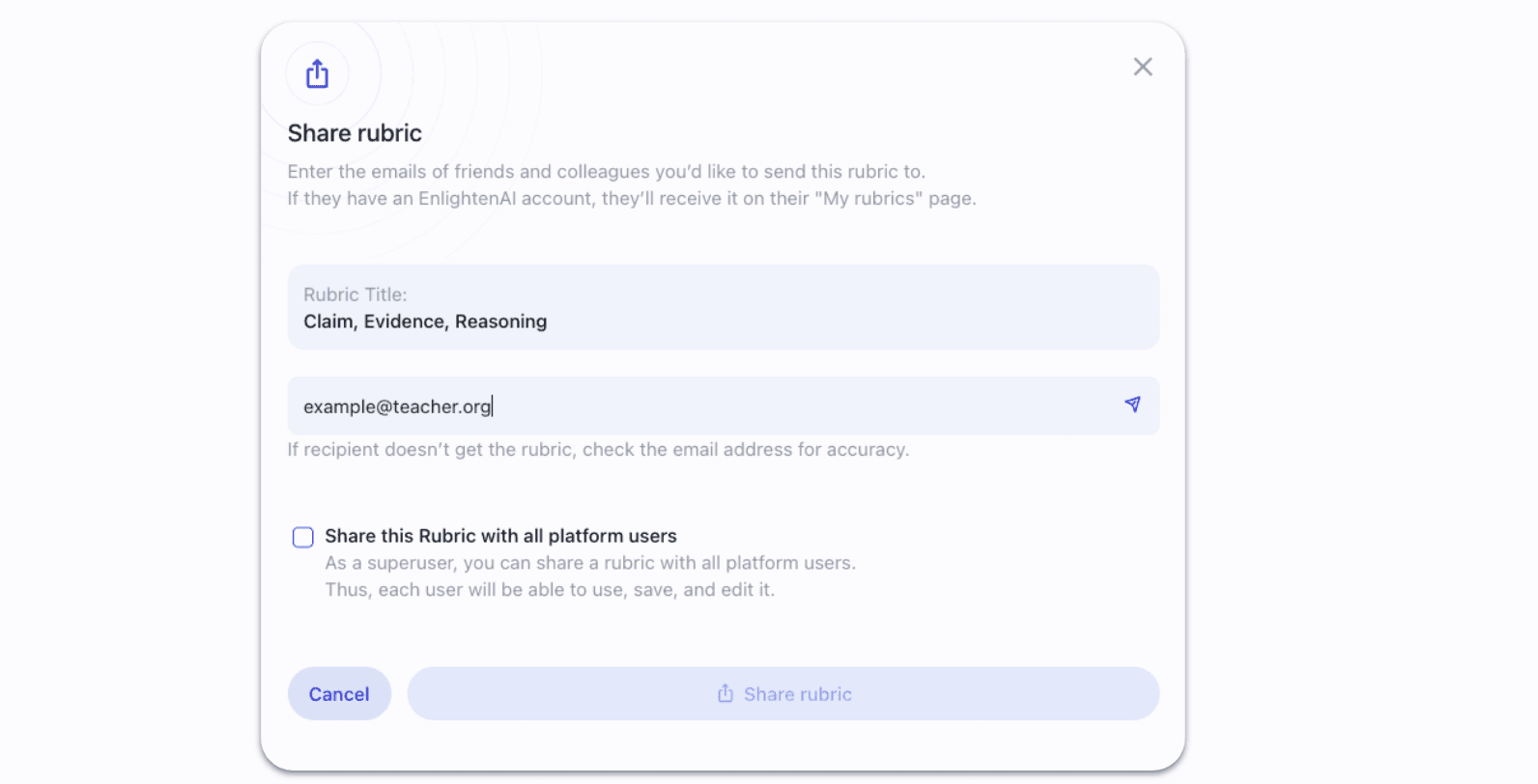
From here, you can:
Enter the email address of another teacher you’d like to send the rubric to. Just type it in, click the little paper airplane icon, and it’ll be sent directly to their account.
Choose to share the rubric publicly in the Teacher Share Library, where anyone on the platform can see, save, and use it.
This feature has already made it easier for departments, PLCs, and schools to standardize grading practices while still allowing individual teachers to adapt and customize.
Introducing: Assignment Sharing
Now we’re taking sharing one step further. You can now share entire assignments you’ve created in Enlighten.ai with other teachers.
At the end of the assignment creation process, you’ll see a screen confirming your assignment is live. Alongside options to assign to your students, you’ll now see an option to share with teachers:
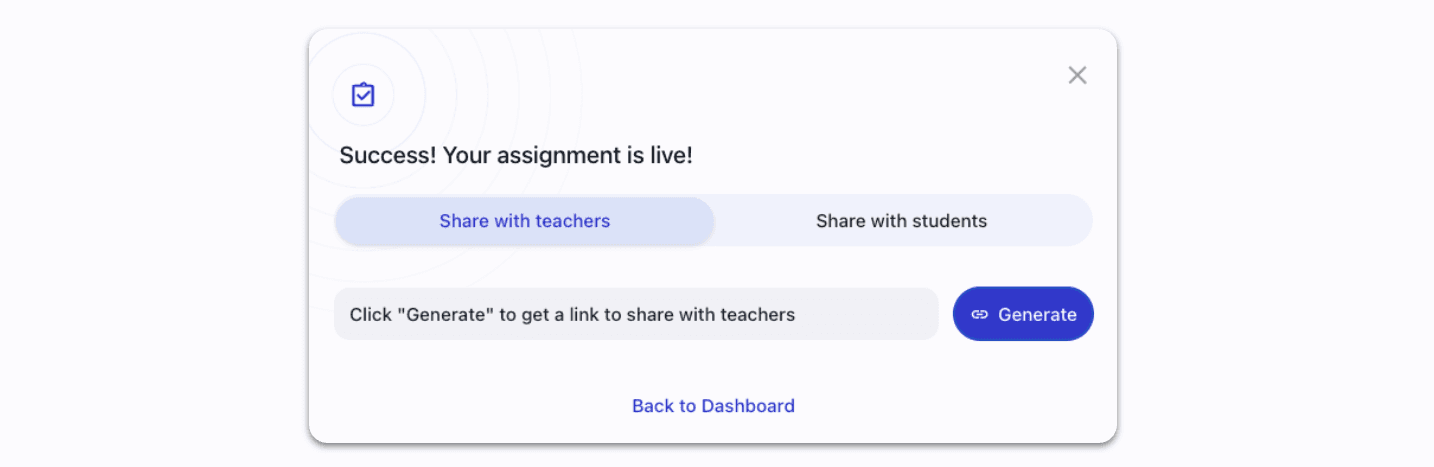
Simply click Generate, and Enlighten.ai will create a live share link. Copy that link and send it to your fellow teachers, administrators, or anyone else on your teaching team.
What Happens When Teachers Receive an Assignment?
When someone clicks on your shared assignment link, they’ll see a friendly pop-up letting them know they’ve received a shared assignment.
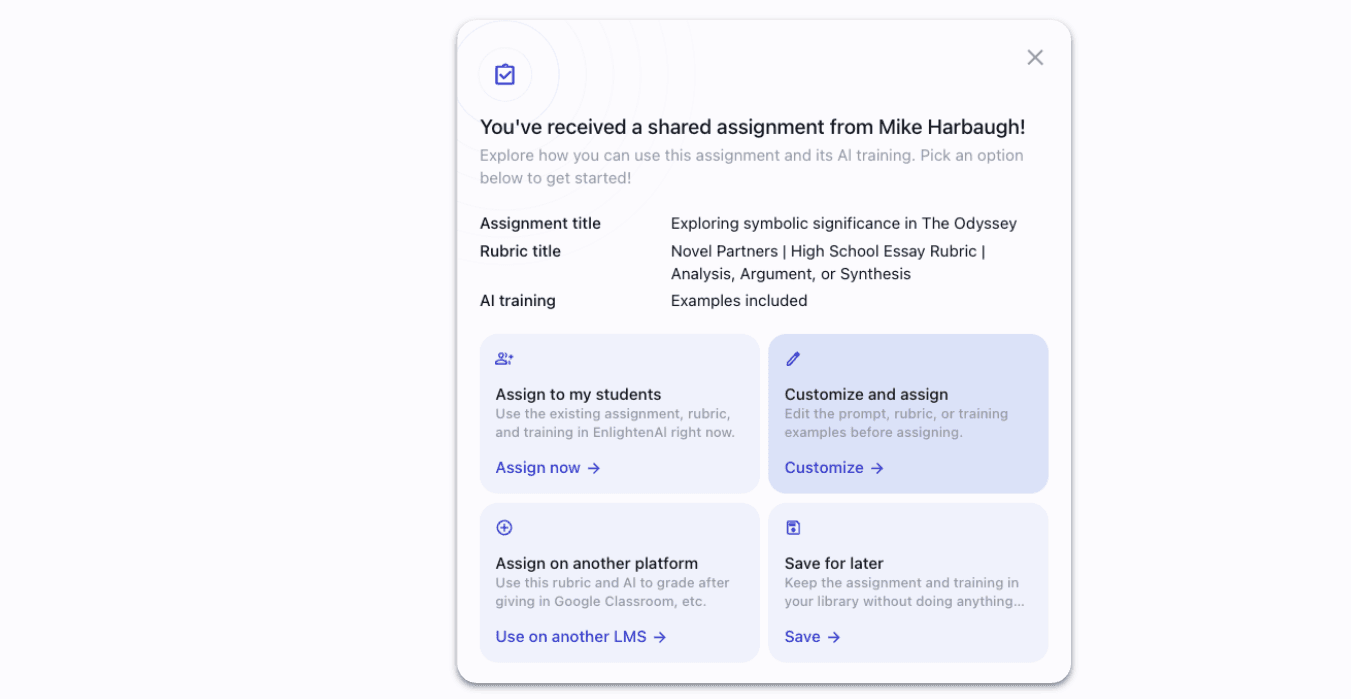
Share from the Library Anytime
Even after an assignment has gone live, you can always generate a teacher share link later. From the Content Library, click the three dots in the top right corner of any assignment card.
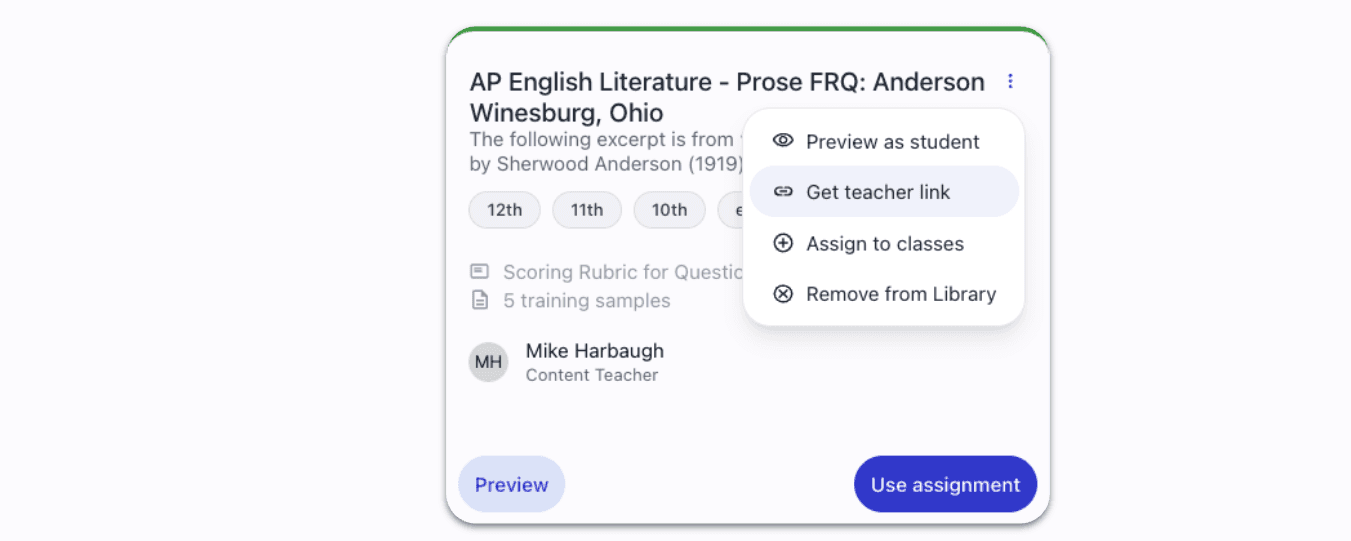
Select Get teacher link, and Enlighten.ai will copy a shareable link to your clipboard instantly.
Why This Matters
Teaching thrives on collaboration. Whether you’re working within a department, sharing resources across schools, or simply helping a colleague who’s new to a subject, the ability to share content easily can save hours of work and spark new ideas.
These updates are designed to:
Make sharing fast and intuitive.
Give teachers full flexibility in how they adapt shared assignments.
Encourage collaboration across classrooms, schools, and communities.
We’re excited to see the creative ways educators will use these new sharing features—and we’ll keep building tools that make collaboration even smoother.
When your whole department grades from the same rubric
Shared assignments used to mean shared headaches, different teachers, different interpretations, inconsistent feedback. Sharing inside EnlightenAI means every teacher in the department grades from the same rubric with the same tool. The result is feedback that's consistent across classrooms without a single norming session.
If your department teaches the same prompts, try the AI grading tool.
AP departments that grade together, grade better
Synthesis prompts and rhetorical analysis essays are hard to norm across a team, and the stakes of inconsistency are high when students are preparing for College Board scoring. Sharing in EnlightenAI means every AP teacher works from the same rubric and the same scoring standard. That shared standard is what makes feedback meaningful for students across sections.
Set up your department's shared rubric, try the AP English grader.