
The Free AI Essay Grader Built on Your Grading Rubric
Grade a class set of essays against your rubric in minutes. EnlightenAI learns how you score, drafts a grade and feedback for every student, and you approve each one.
- Free for teachers
- Grades 3 to 12
- Google Classroom and Canvas
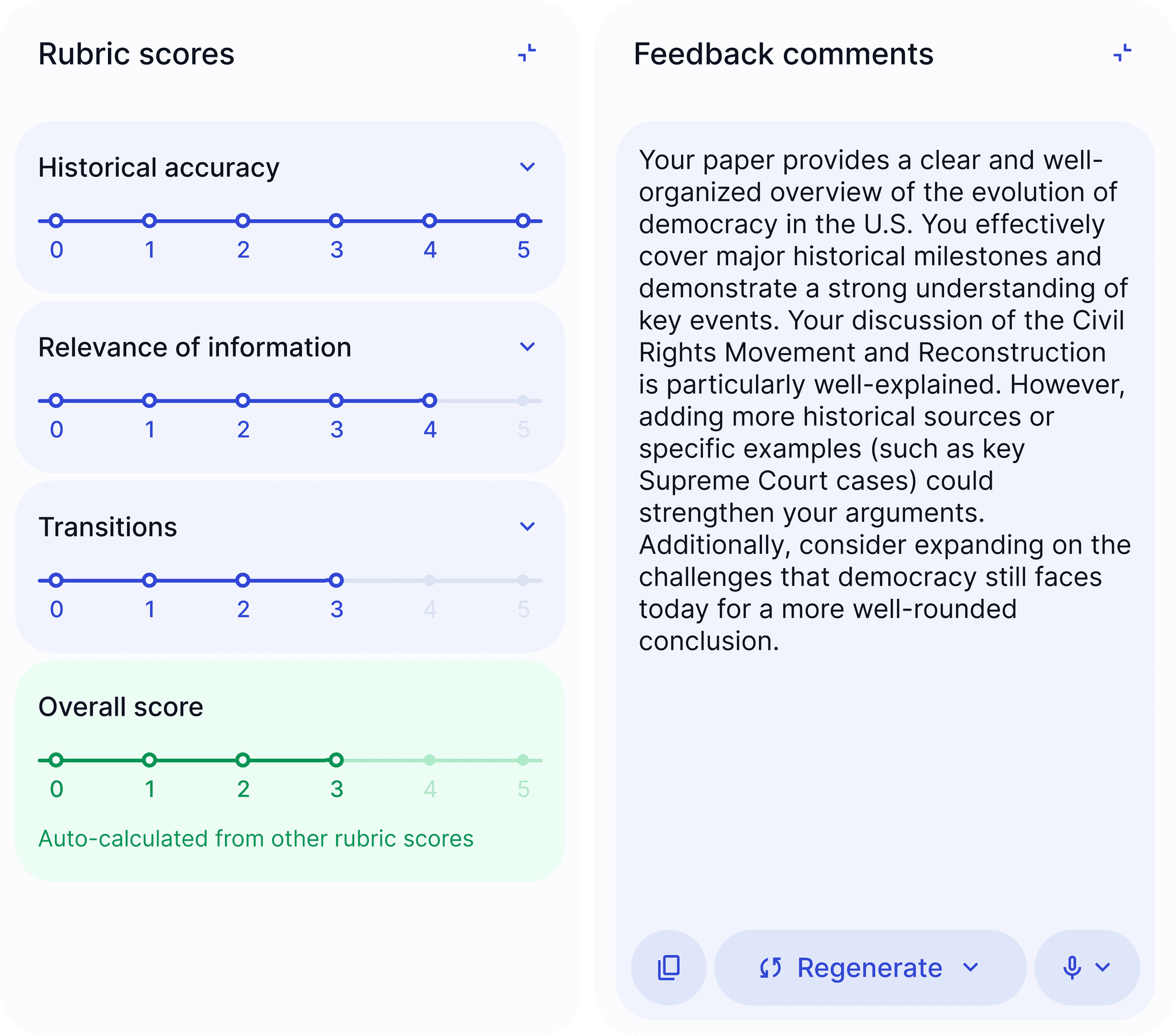
Used by 10,000+ teachers in schools and districts across the country








































Checked against the state's own scorers
We graded officially scored essays from four state tests and a district field study. In each one, EnlightenAI matched the official scores about as closely as the state reports for its own human scoring.
Read the research STAAREssays: Ideas
 Florida B.E.S.T.Purpose/Structure
 Smarter BalancedOrganization/Purpose
- DREAM field studyGrade 8 essays
How does the AI essay grader work?
- Step 1Import essays
Import your student essays
Pull assignments from Google Classroom or Canvas, or upload Google Docs and Word files.
- Step 2
Grade the first few together
Score a few papers with EnlightenAI beside you, so it learns how you apply your rubric.
- Step 3
AI grades the rest, you approve
EnlightenAI grades the remaining stack. Review and approve each essay, then see your class results.
 Google Classroom
 Canvas
 Upload
Instant feedback that students understand, and teachers can trust
“Your argument is unclear in places, and some paragraphs lack sufficient support. Consider improving structure and adding clearer evidence.”
- Could apply to any essay
- Not tied to your rubric
- No clear next step
“Your thesis clearly states a position, but your evidence in paragraph 2 focuses on a different historical period (1850s instead of 1920s). Try integrating the primary source documents to strengthen your argument about economic change.”
- Uses your rubric's criteria
- Points to the exact paragraph
- Gives a clear revision step
An AI essay grader for your state's rubric
Official state and AP rubrics, word for word from the source. Pick one and start grading.
- Texas STAARTexas
- CAASPPCalifornia, Smarter Balanced
- Florida B.E.S.T.Florida
- NJSLANew Jersey
- RegentsNew York
- MCASMassachusetts
- PSSAPennsylvania
- Georgia MilestonesGeorgia
- AP English LanguageArgument, synthesis, rhetorical analysis
- AP HistoryDBQ, LEQ and SAQ
- AP LiteraturePoetry, prose and literary argument
- AP SeminarIRR, IWA and the end-of-course exam
Built for teachers, by teachers
“After using EnlightenAI for a few weeks, my students demonstrated a clear upward trajectory in their ability to integrate feedback and substantiate their claims.”
“Across all skill levels, students made meaningful revisions, showing noticeable improvements in grammar, structure, and analysis.”
“Grading, once my most dreaded task, became faster and far more efficient.”
FAQs: AI Essay Grader
Yes. Teachers can start grading with EnlightenAI for free, with their own rubric and their Google Classroom or Canvas classes. Schools and districts can talk with our team about school-wide plans.
You grade the first few papers together with EnlightenAI so it learns how you apply your rubric. It then drafts scores and feedback for the rest of the class in minutes, and you review each one before it goes back.
Yes. You can upload your existing rubric or build one directly inside EnlightenAI. There is no default grading scale imposed on you. Whether you are using EnlightenAI as a free essay grader for a quick writing prompt or running a fully configured AP scoring rubric, the AI learns your criteria, your score boundaries, and your interpretation of each category.
The same rubric flexibility carries over to the AI assignment generator for teachers and the AI study guide maker.
We graded officially scored essays from STAAR, Florida B.E.S.T., NJSLA and Smarter Balanced, and compared EnlightenAI with the official scores. In each study it matched them about as closely as the state reports for its own human scoring. Read the research for every number and its source.
You do. You can change any score or comment, and you choose when students see their feedback.
Yes. EnlightenAI integrates directly with Google Classroom and Canvas. Import essays automatically or batch upload Google Docs and Word files. EnlightenAI scores and drafts feedback, and you return it directly through the platform where students submitted the work. No switching between tools, no manual workflows. Quizzes generated the same way, like an AI quiz maker check, sync through the same integrations.
Yes. EnlightenAI is FERPA-compliant and student work is never shared with or used to train external AI models. The AI writing feedback it generates is processed securely within the platform. Student data is accessible only to authorized teachers and administrators and is not sold or shared with third parties.
Yes. EnlightenAI functions as an AI grading tool across any subject that uses rubric-based written assessment, including science, social studies, history, and electives. You upload your rubric and the AI scores against your criteria regardless of content area. It is currently used by teachers in grades 3 through 12 across English, social studies, science, and more.
Build matching practice materials for any of those subjects with the AI worksheet generator for teachers.
No. EnlightenAI is not an essay AI checker designed to flag authorship. It is a rubric-based grading and feedback tool. Its purpose is to score student writing against your criteria and generate specific, actionable comments, not to determine whether a student used AI to write their work. For AI detection, use a dedicated tool alongside EnlightenAI.
Grade your next stack of essays with EnlightenAI
Free for teachers. Schools and districts can talk with our team about state test rubrics and reporting.