

Key takeaways
Teachers can now add feedback rounds mid-assignment — up to 8 total attempts.
New rounds apply instantly to all students in that class without affecting other classes.
Students see the new attempt automatically as soon as it's available.
More Flexibility for Rubric-Aligned, AI-Generated Writing Feedback
One of the most common things we have heard from teachers is that you need more tools to manage and control the process and customize the steps when students are getting immediate AI feedback from EnlightenAI. We’ve listened, and we’ve added a new tool for you!
When students are receiving AI-generated, rubric-aligned writing feedback in real time, they often want to keep writing. There’s still class time left. They’ve had a breakthrough. Or as a teacher, you want to give everyone one more opportunity to submit a stronger final draft.
Previously, as teachers you were limited to a fixed number of feedback rounds per assignment. Once students hit the maximum number of 4 attempts, there was no way for you to extend the assignment mid-flight.
We heard that you wanted this changed, so we built a solution.
Introducing: adding feedback rounds
You can now extend an assignment while it’s already in progress with additional feedback rounds!
This means you can give students more opportunities to revise and receive high-quality, AI-generated, rubric-aligned feedback—without duplicating assignments or other workarounds.
This update makes EnlightenAI more flexible, more teacher-driven, and more aligned with how real classrooms work.
Teachers can now increase feedback rounds mid-assignment
Feedback rounds can be extended up to eight total attempts
New rounds apply immediately to all students in that class
Other classes using the same assignment are not affected
Students automatically see the new attempt when it becomes available
This means students can continue drafting, revising, and improving with rubric-aligned writing feedback exactly when it matters most.
How to add feedback rounds
If you have created an assignment for immediate AI feedback, follow these simple steps:
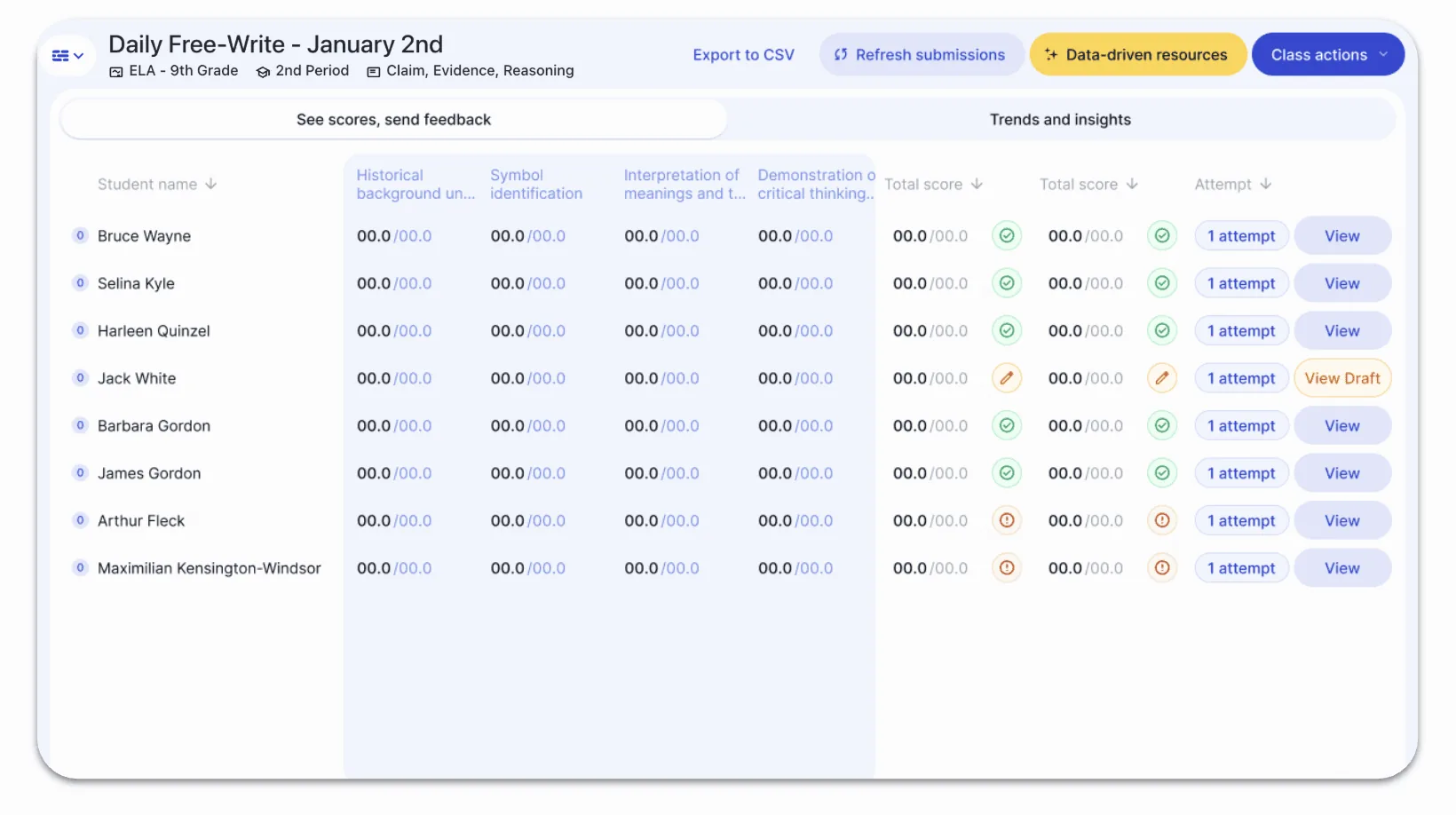
Step 1: Go to the Grading Summary Screen
Navigate to the assignment’s grading summary for your class.
Step 2: Open “Class options”
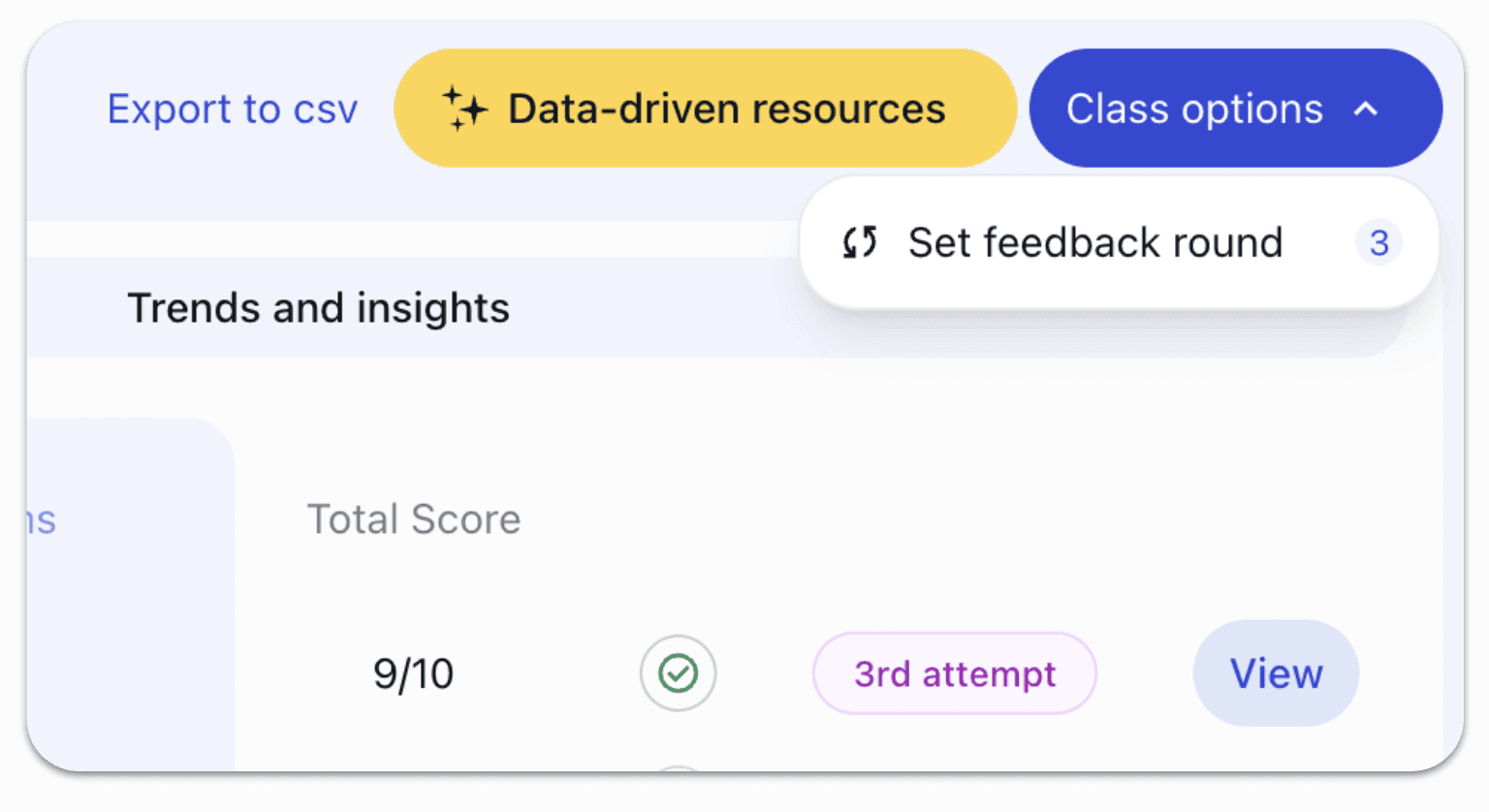
In the top-right corner, click Class options and then click the “Set feedback round” button:
Step 3: Select “Set Feedback Round”
Choose Set feedback round from the dropdown.
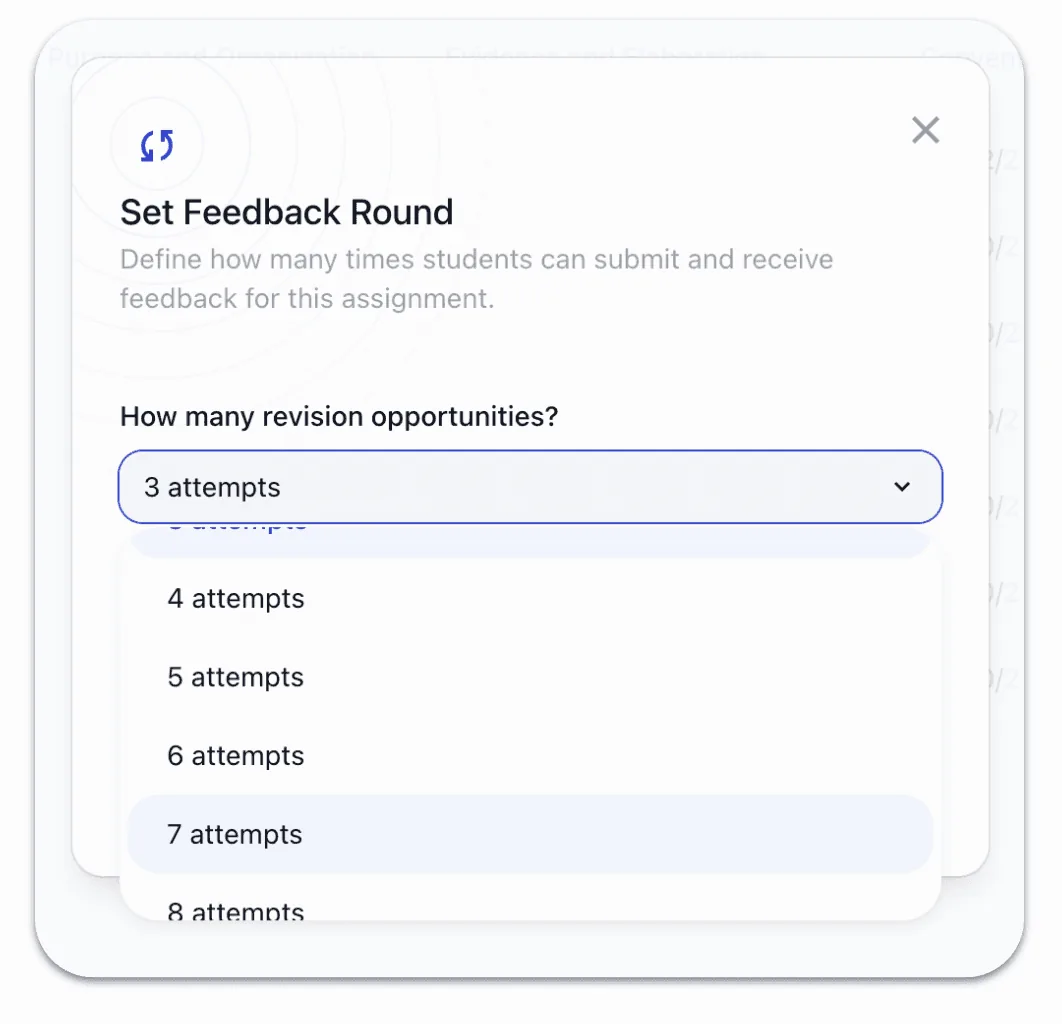
This opens a modal where you can adjust the total number of submission attempts:
Step 4: Increase the Number of Attempts
Use the selector to increase the total feedback rounds.
For example:
If the assignment was set to 3 attempts, you can move it to 4
You can continue increasing up to 8 attempts as needed
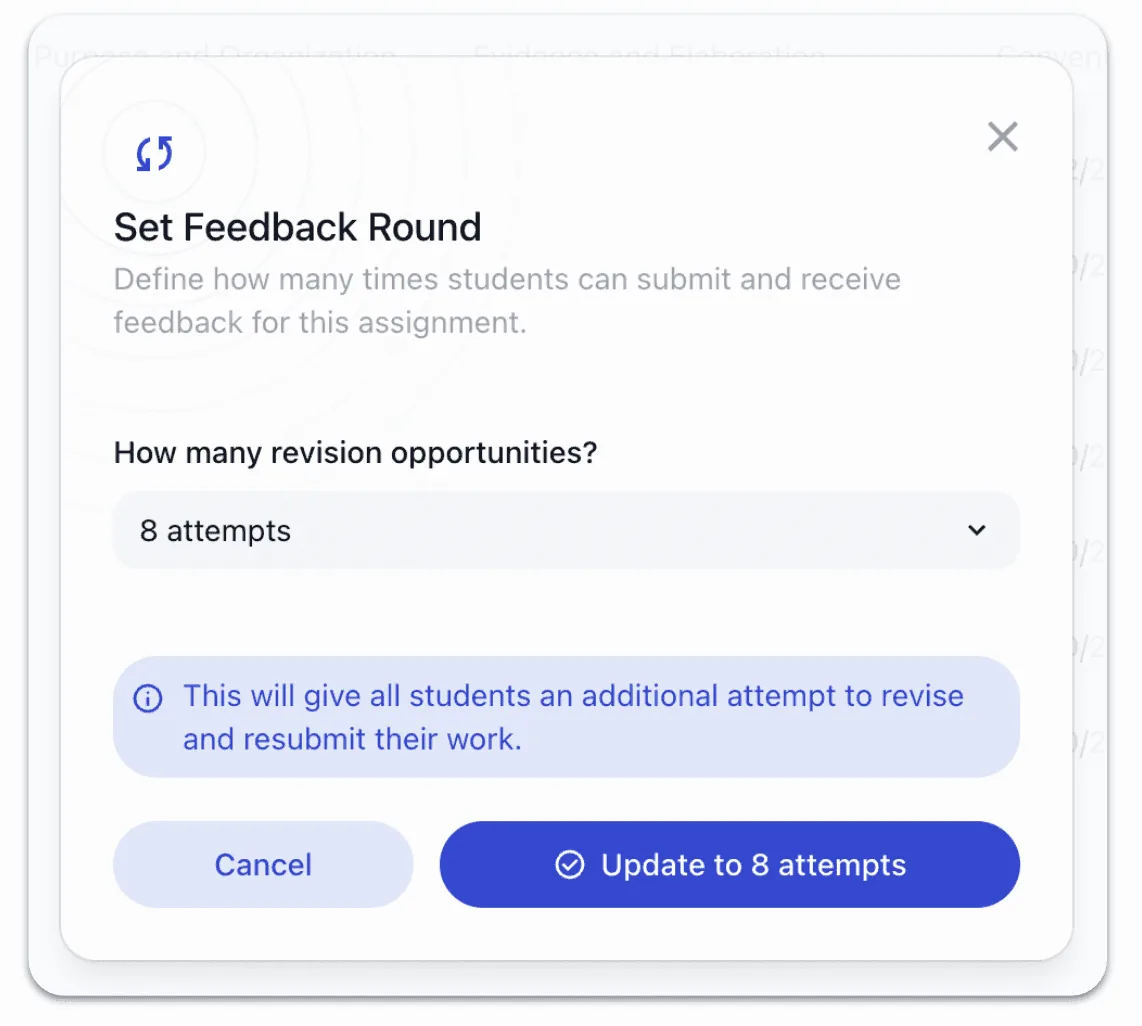
Step 5: Confirm and Apply
Click Update attempts.
That’s it - every student in that class now has access to the additional round of AI-generated, rubric-aligned feedback.
What Students Experience
Students who already used all prior attempts immediately see a new available attempt
Students currently working on a draft are unaffected until they submit
Once they submit, the new feedback round appears automatically
Students continue receiving high-quality, rubric-aligned writing feedback with no interruptions
Why This Matters
By allowing teachers to add feedback rounds mid-assignment, EnlightenAI is aiming to support more customizable revision cycles. As a teacher, you have more control, students stay engaged, and learning stays aligned to the rubric—not arbitrary limits.
Most importantly, this update reflects our ongoing commitment to listening to teachers and building tools that adapt to real classroom needs.
This is just one part of a broader set of improvements to class management in EnlightenAI. More flexibility, better visibility, and stronger support for high-quality, AI-generated writing feedback are all on the way.
To stay up to date:
Check out our blog for product updates
Visit our support page for guides and walkthroughs
As always, thank you for building with us, and for continuing to push what’s possible when students receive timely, rubric-aligned feedback that actually helps them grow as writers!
One deadline is not enough structure for a writing assignment
The best writing instruction builds revision in before the final submission, not as an afterthought, but as part of the assignment structure. Adding a feedback round mid-assignment gives students a clear target to revise toward before the window closes. Revision built into the assignment is revision that actually happens.
Build revision into your next assignment from the start, try the AI grading tool.
The first draft is just the beginning of the writing
Essay writing improves most when students revise with clear, specific direction, not when they submit once and wait for a grade. Triggering a second feedback round after a first revision gives students something to act on before the final submission, and gives teachers data on whether the revision actually addressed the feedback. Two rounds of feedback produce better writers than one final grade.
Build the revision loop into your next extended writing task, try the AI essay grader.