Mike Harbaugh

A new tool for principals, curriculum teams, and administrators
One of the most consistent pieces of feedback we hear from leaders who are supporting entire schools, regions or districts is that they want their central academic team and curriculum leaders to be able to support teachers more effectively with writing assessment. Specifically, they want a way to grade large volumes of student writing across multiple classrooms at once, and to immediately analyze writing data across teachers, grade levels, schools, or even entire districts.
Until now, doing this kind of large-scale, rubric-based grading required significant manual effort or asked teachers to shoulder the burden one class at a time.
With this most recent update to EnlightenAI’s platform, that has changed.
Today, administrators, heads of curriculum, and instructional leaders can grade student writing in bulk — including grading on behalf of teachers — and instantly generate analytics and insights across a broad swath of students.
EnlightenAI’s AI Grader is designed to evaluate large volumes of student writing quickly and consistently while delivering rubric-based feedback aligned to your instructional goals. There are two primary ways administrators, school leaders, and teachers can grade large amounts of student work in bulk. First, we’ll review the existing way to grade at scale, using a spreadsheet. Then, we’ll give an overview of our new integrated flow that enables school leaders, curriculum teams, and administrators to sync work that is pulled from Illuminate DnA to their Clever rosters, grade quickly, and immediately generate data dashboards on rubric scores and trends.
Grading work from a spreadsheet
The simplest way for any leader who wants to use EnlightenAI’s at-scale grading features is by pulling together student responses into one centralized excel / CSV file.
Many schools already collect student writing in a shared environment such as Google Forms, a learning management system, or another external platform. From there, student responses can be exported into an Excel or CSV file and uploaded directly into EnlightenAI.
Once uploaded, you can:
Grade hundreds of student responses in one grading session
Apply consistent, rubric-based feedback using our AI essay grader
Score writing against custom or standards-aligned rubrics
All you need to do is pull together your student writing into a file like this one:
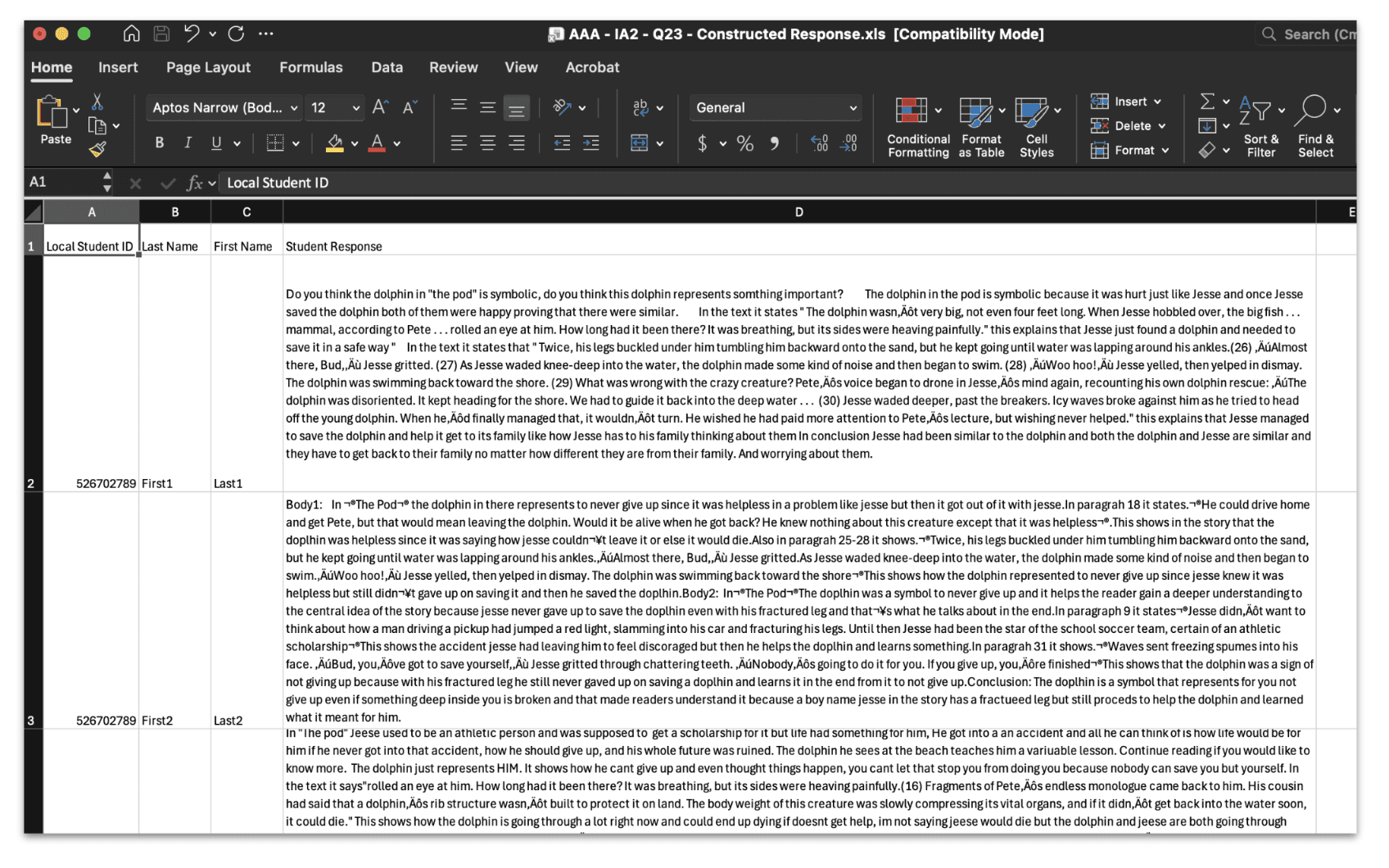
Then, select that you want to grade from Google Forms/CSV/Excel:
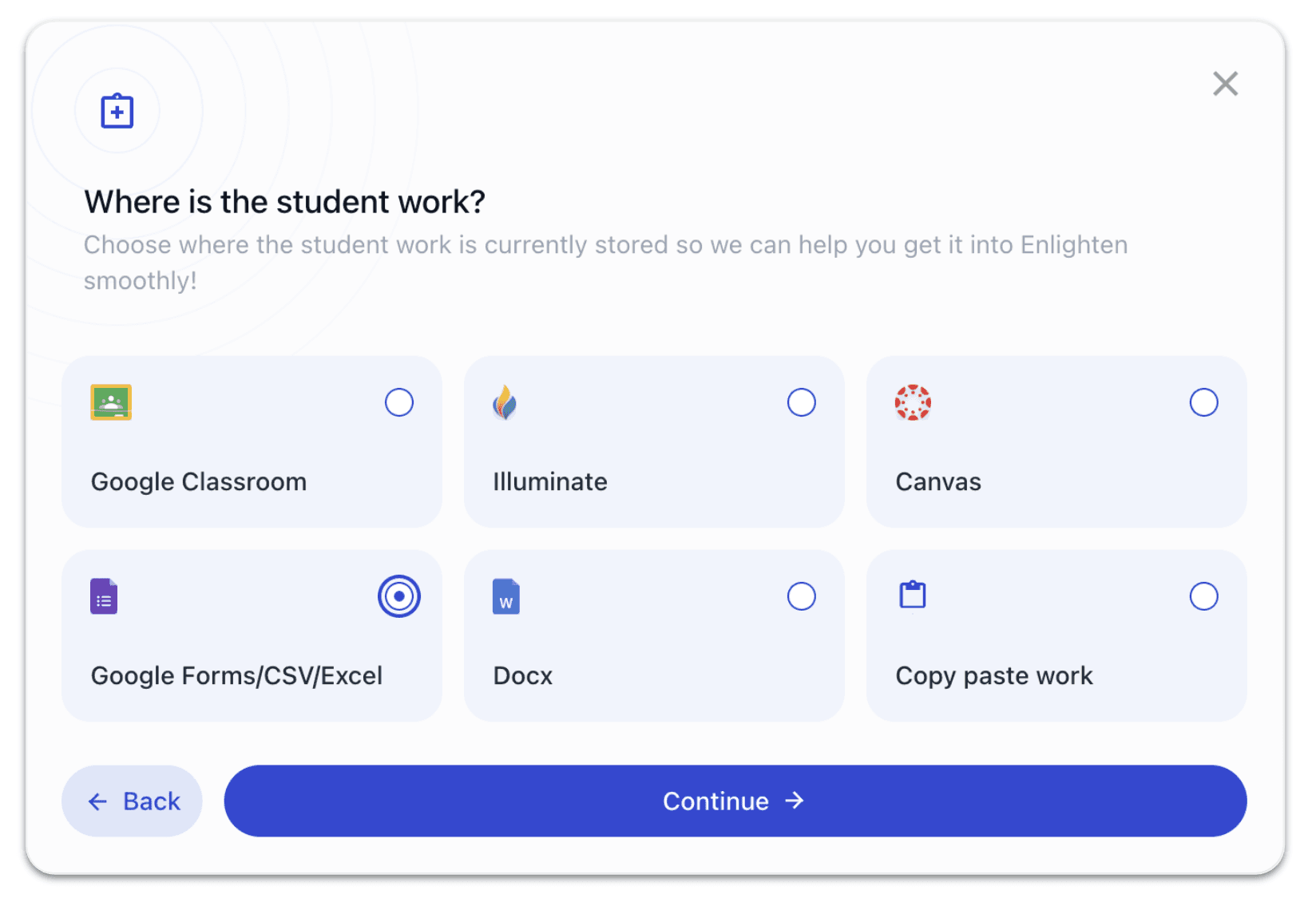
You’ll then be able to use the platform to complete your AI grading and feedback flow using our best-in-class tools. After grading, EnlightenAI allows you to:
Parse results back out by student
Generate individual feedback reports
Email students their feedback automatically if email addresses are included
Export or print PDF feedback for distribution
This workflow alone saves educators hours of manual grading while ensuring students receive timely, high-quality feedback on their writing. But we wanted to equip central leadership teams with more.
Grading via an integrated workflow with Clever & Illuminate DnA
For schools and districts using Illuminate DnA and Clever, EnlightenAI can now offer an even more powerful workflow. Through our integrations:
Students are rostered into EnlightenAI using Clever
Rosters are synced between Clever and Illuminate DnA
Student IDs from Illuminate files are automatically matched to the correct student accounts
This means administrators and instructional leaders can pull large files of student writing directly from Illuminate DnA where the writing took place, upload them into EnlightenAI without manually matching students or classes, and then grade and give feedback at scale.
When you use EnlightenAI’s grading assistant in this workflow, grading automatically connects each writing response and score to the correct student, class, and teacher. Previously, bulk grading and analytics in EnlightenAI were typically done on a class-by-class basis by individual teachers. While powerful, this limited how quickly leaders could analyze writing data across multiple classrooms.
What’s new is the ability for administrators to grade on behalf of teachers.
Now, an administrator or instructional leader can pull writing data from Illuminate DnA for dozens of teachers at once, manage AI-powered grading using EnlightenAI’s AI essay grader, and then instantly generate analytics dashboards across an entire school, organization, or district
This update was built directly in response to feedback from our partners, who told us they wanted a way to support teachers with grading while also gaining system-wide insight into student writing. Importantly, this workflow still respects teacher ownership of data. After grading:
Each teacher can log in and view their own class-level results
Teachers see rubric-based feedback and trends specific to their students
Leaders see aggregated insights across all classes and cohorts
This means administrators can support teachers without adding to their workload — while teachers still benefit from detailed, actionable writing data.
First, select an assignment from your shared assignment library:
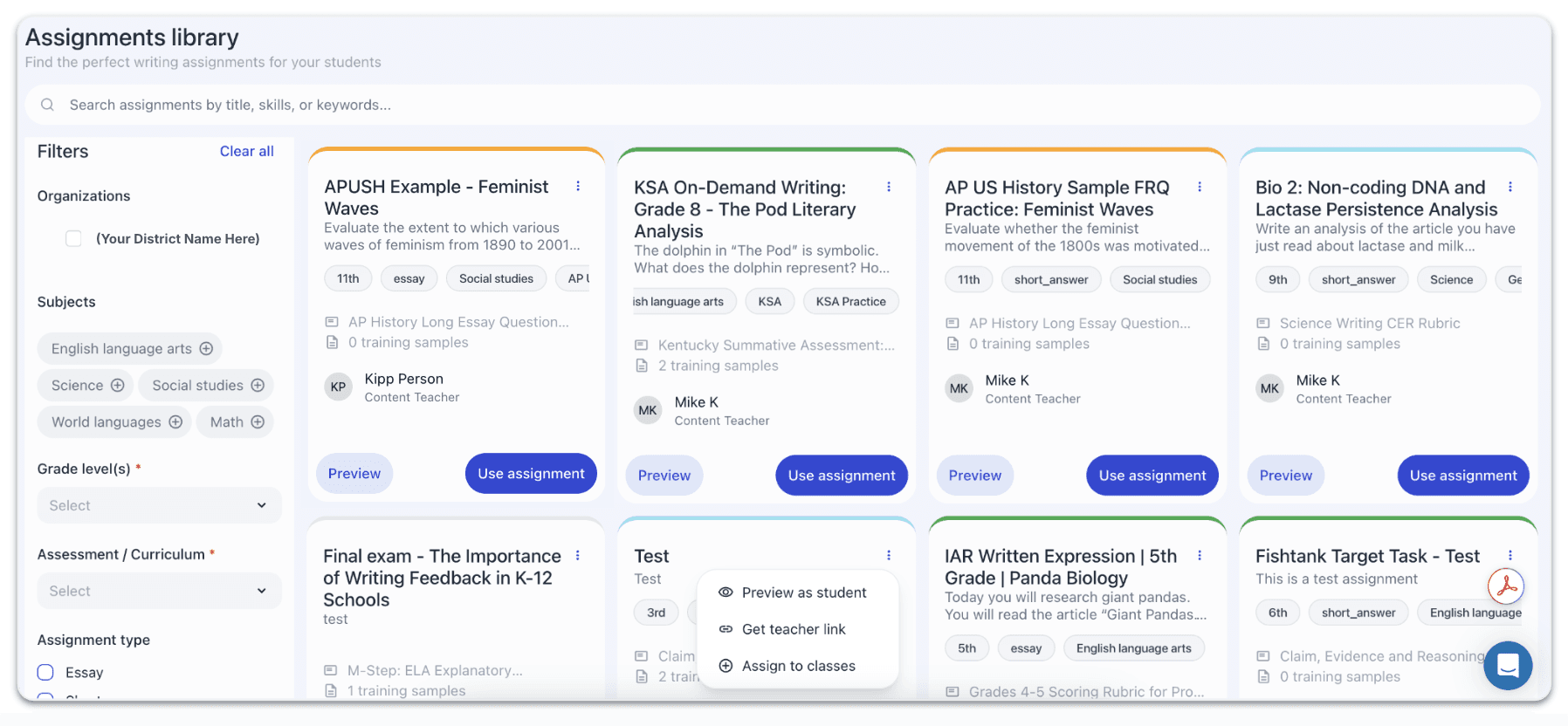
Then, select to Grade with Illuminate:
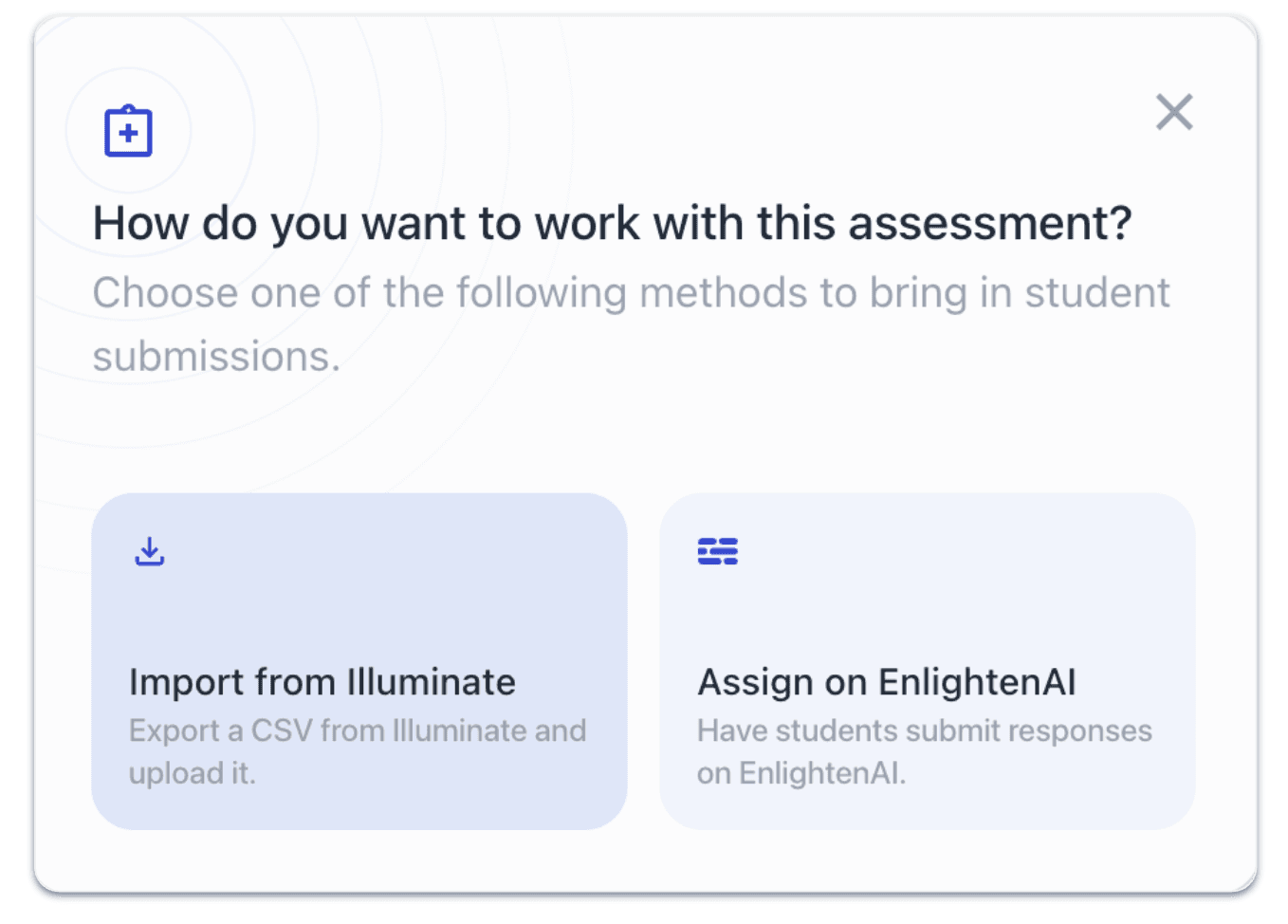
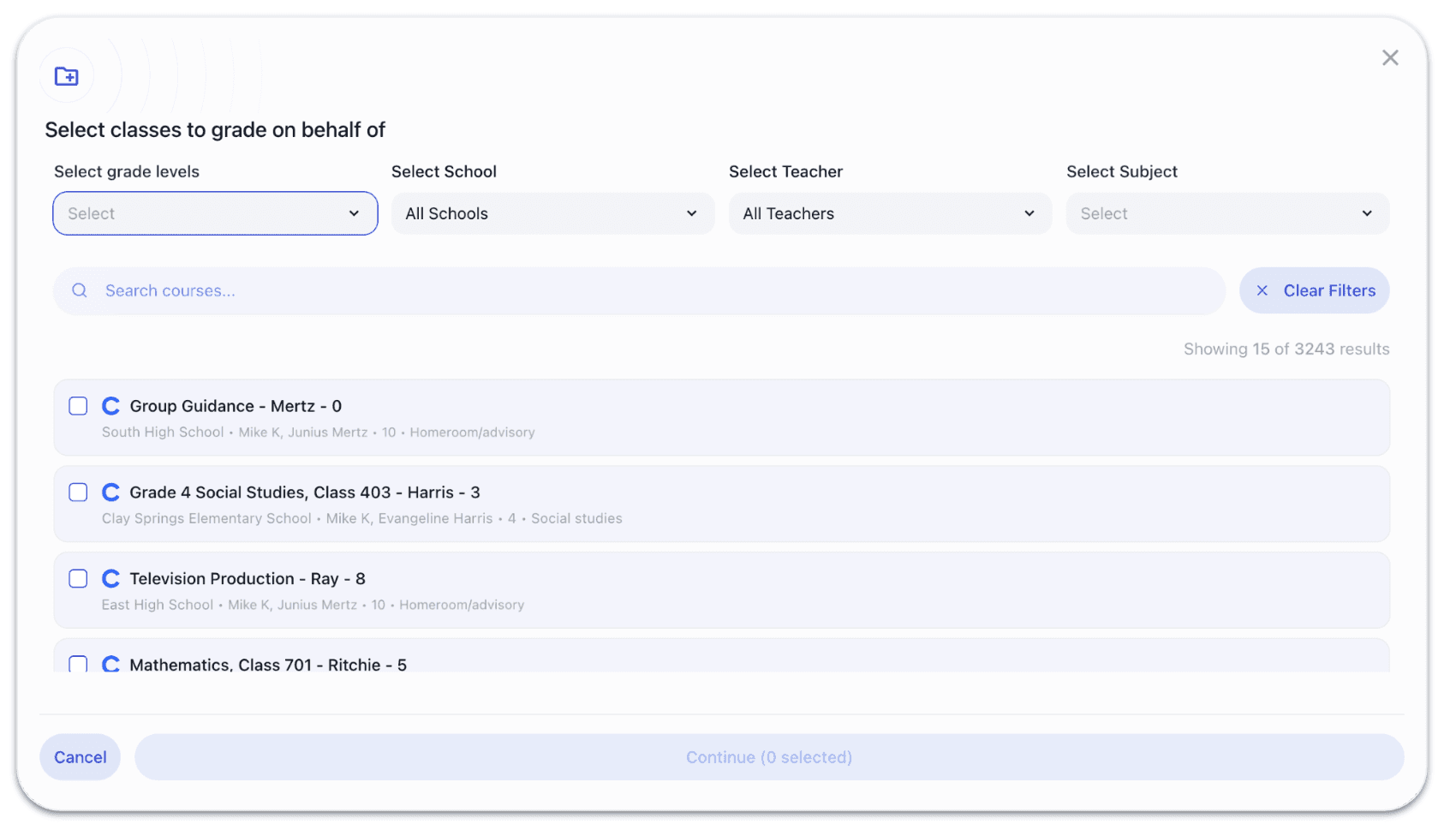
From there, you’ll have the opportunity to select all of the classes that you'd like to grade on behalf of. This could be just a handful of teachers, or it could encompass hundreds of teachers:
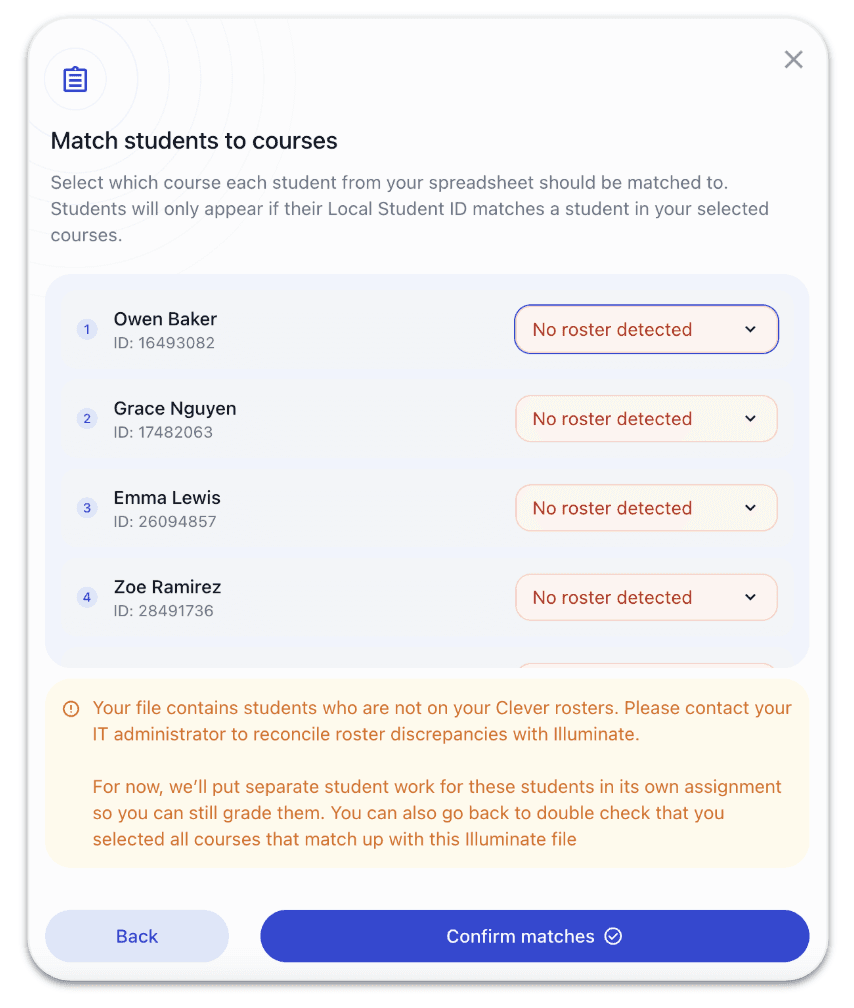
Finally, you will have the opportunity to manually roster any students who might not have been properly matched:
Then, you can use your AI grader to give high-quality, rubric-aligned feedback to students!
But, that’s not all - you can also generate analytics and data insights on the entire student data set instantaneously.
Turning AI Grading into Instant Insights with Analytics Dashboards
As soon as grading is complete, EnlightenAI’s powerful analytics tools will automatically and instantaneously generate detailed data dashboards from the graded student writing, enabling you to visualize writing performance across the entire cohort of students:
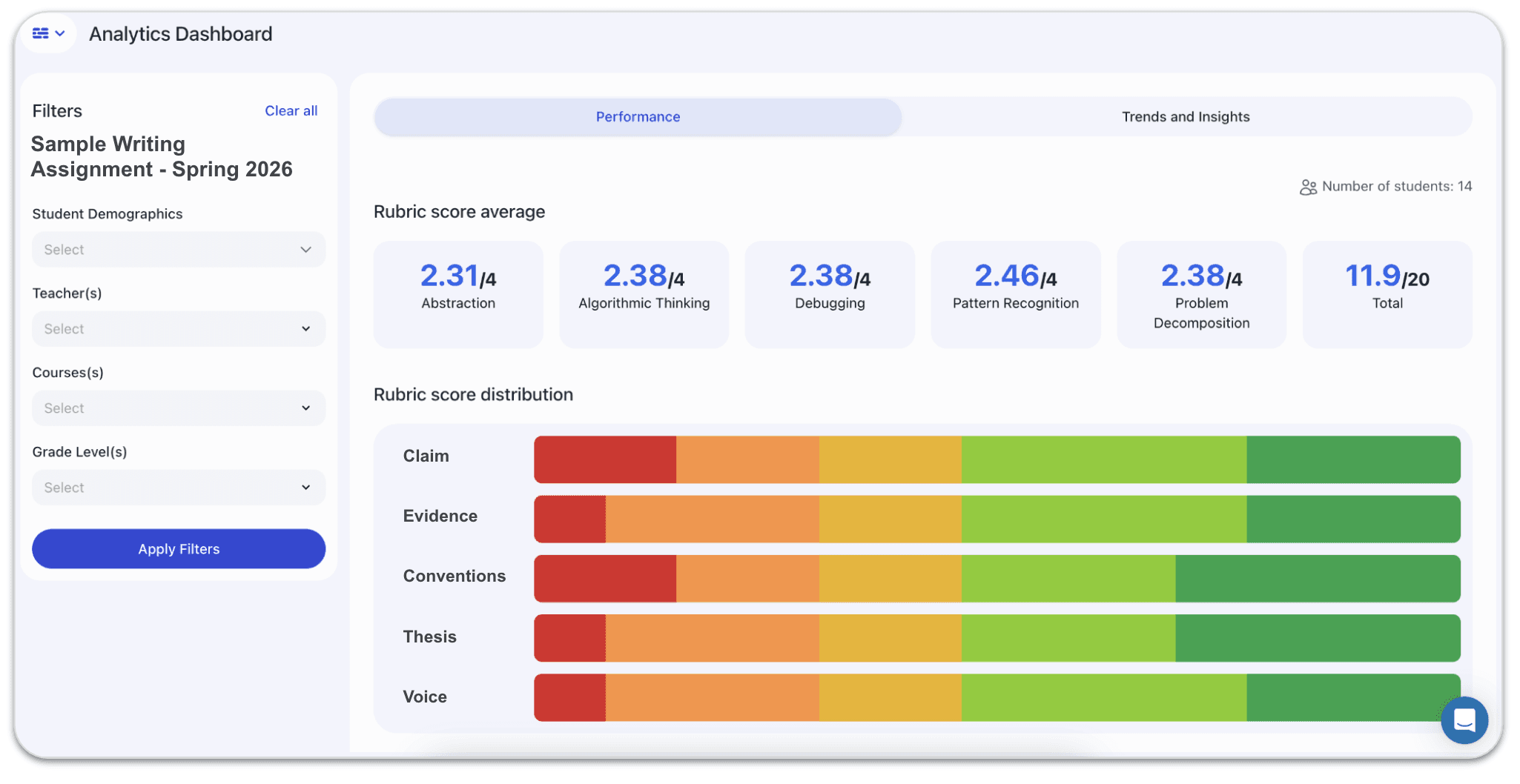
These dashboards enable you to view:
Rubric-level performance scores
Strengths and areas of growth across the entire cohort
Individual strengths and growth areas for each student
CBM metrics for writing (avg. words correct, avg. correct sequences, etc)
Filterable trends across grade levels, teachers, courses, and demographics:
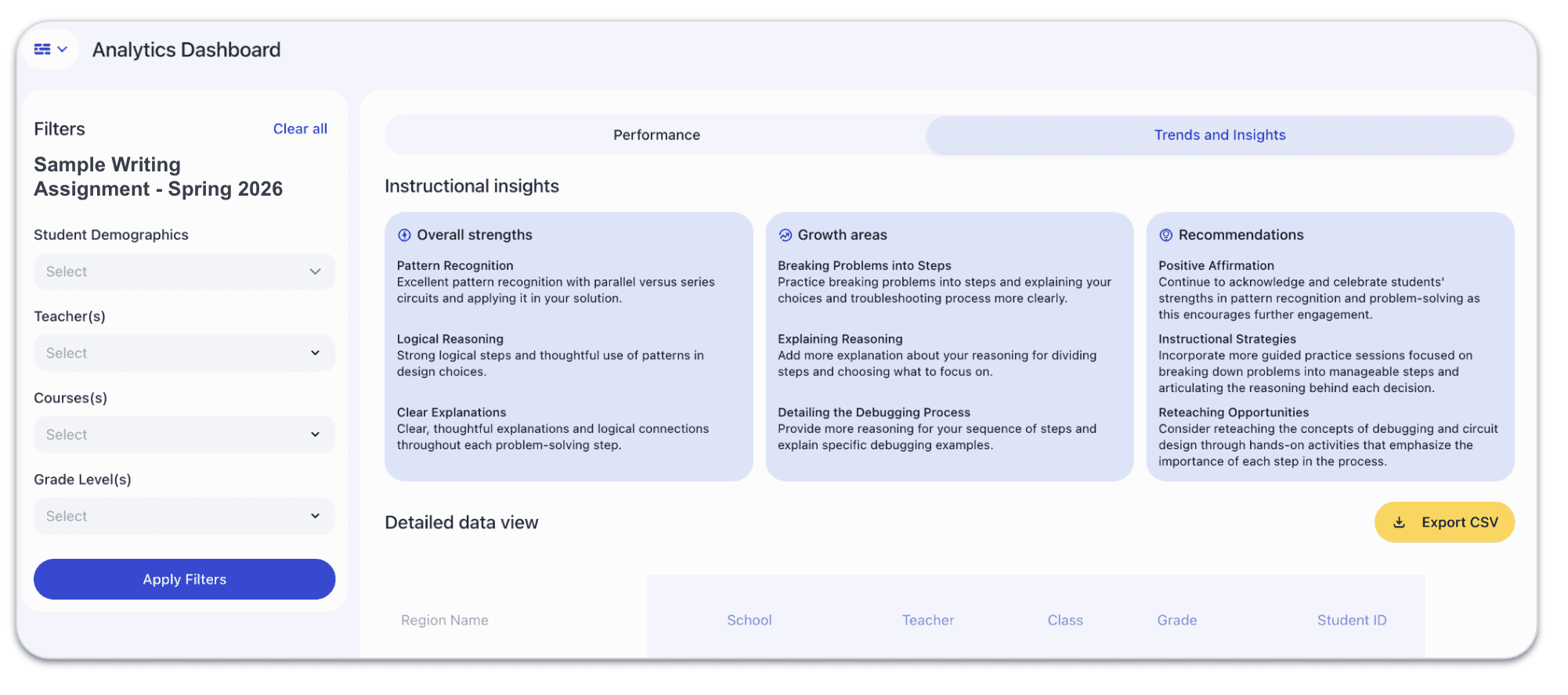
Instead of manually compiling spreadsheets or waiting weeks for analysis, leaders can see trends immediately after grading — and use that data to inform instruction, reteaching, and professional development.
Why this matters for school and district leaders
If you are a head of curriculum, chief academic officer, instructional coach, or school leader, writing instruction presents a unique challenge.
You may want to:
Increase writing practice across classrooms
Prepare students for state assessments, ACT, or AP exams
Gather diagnostic data on student writing skills
Support teachers with consistent grading and feedback
Historically, doing this at scale required enormous amounts of teacher time — often making it unrealistic. With EnlightenAI’s AI Grader and administrator-led bulk grading, that barrier disappears.
Leaders can now:
Grade alongside or on behalf of teachers
Provide rubric-based feedback consistently across classrooms
Generate writing assessment data that was previously impossible to collect
Identify trends, gaps, and growth opportunities across entire student populations
Most importantly, teachers get their time back — and students get more writing practice and better feedback. Across the country, our partners are using EnlightenAI to rethink how writing is taught, practiced, and assessed — from individual schools to multi-region organizations.
By combining an AI-powered essay grader, rubric-based feedback, seamless data integrations, and real-time analytics dashboards, EnlightenAI makes large-scale writing assessment not just possible, but practical. As we head into the new year, we’re excited to continue equipping central office teams, administrators, and teachers with tools that transform writing instruction, and give students more opportunities to grow as writers.
At scale, inconsistency in grading becomes a data problem
When dozens of teachers grade the same writing standard with different rubric interpretations, the resulting data is too unreliable to act on. Central instructional teams need scoring consistency that doesn't depend on individual teacher calibration. EnlightenAI makes it possible to apply one rubric, consistently, across every school in a district.
Build the consistency your district's data needs, try the AI grading tool.
Inter-rater reliability is a problem technology can actually solve
Norming sessions improve consistency temporarily. They don't solve the underlying problem, that two teachers reading the same essay will score it differently, and that difference compounds across a district-wide assessment. Consistent AI scoring removes the inter-rater variable without removing teacher judgment from instruction.
Make your next district assessment data reliable, try the AI essay grader.