Mike Harbaugh

Introduction
At EnlightenAI, 2026 has already become a year of deep focus on helping teachers better manage the real, complex workflows of their classrooms with our AI grading tools.
We’ve been able to get insightful, helpful feedback from teachers who are using our Immediate AI Feedback tool for in-class writing while it's an incredibly valuable for students, managing drafts and other workflows can be challenging if teachers don't have more tools in their toolkit.
You all asked us for clearer visibility into student writing progress, stronger control over submissions, and confidence that no student work is left unfinished when it’s time to grade.
Most importantly, you also reminded us that, well, students are students. They forget to submit assignments. They leave drafts partially completed, and then wonder what happened. And then too often you were left tracking down missing work or grading without a complete picture of student progress.
This latest set of product updates from EnlightenAI is designed to solve these problems! We're giving you more visibility, more control, and more peace of mind when managing student drafts, AI grading, and Immediate AI Feedback.
What We Built: Draft management and submission tools
With these updates, teachers using EnlightenAI can now:
View student drafts in progress while students are receiving Immediate AI Feedback
Force-submit individual student drafts for AI grading
Bulk submit all open drafts for an entire class using the AI grader
Add additional rounds of AI writing feedback during an assignment
These tools work both at the individual student level and at scale across an entire class. The result is a smoother AI grading workflow where teachers always have an accurate snapshot of student writing and AI-generated feedback.
This is a major step forward in classroom management for teachers using AI writing tools!
How to Use Draft Management with Immediate AI Feedback
Step 1: Open an immediate AI feedback assignment
Next to any student attempt, you'll now see the option to click View Drafts, and there is now a Class Options button in the top-right corner to enable more management tools!
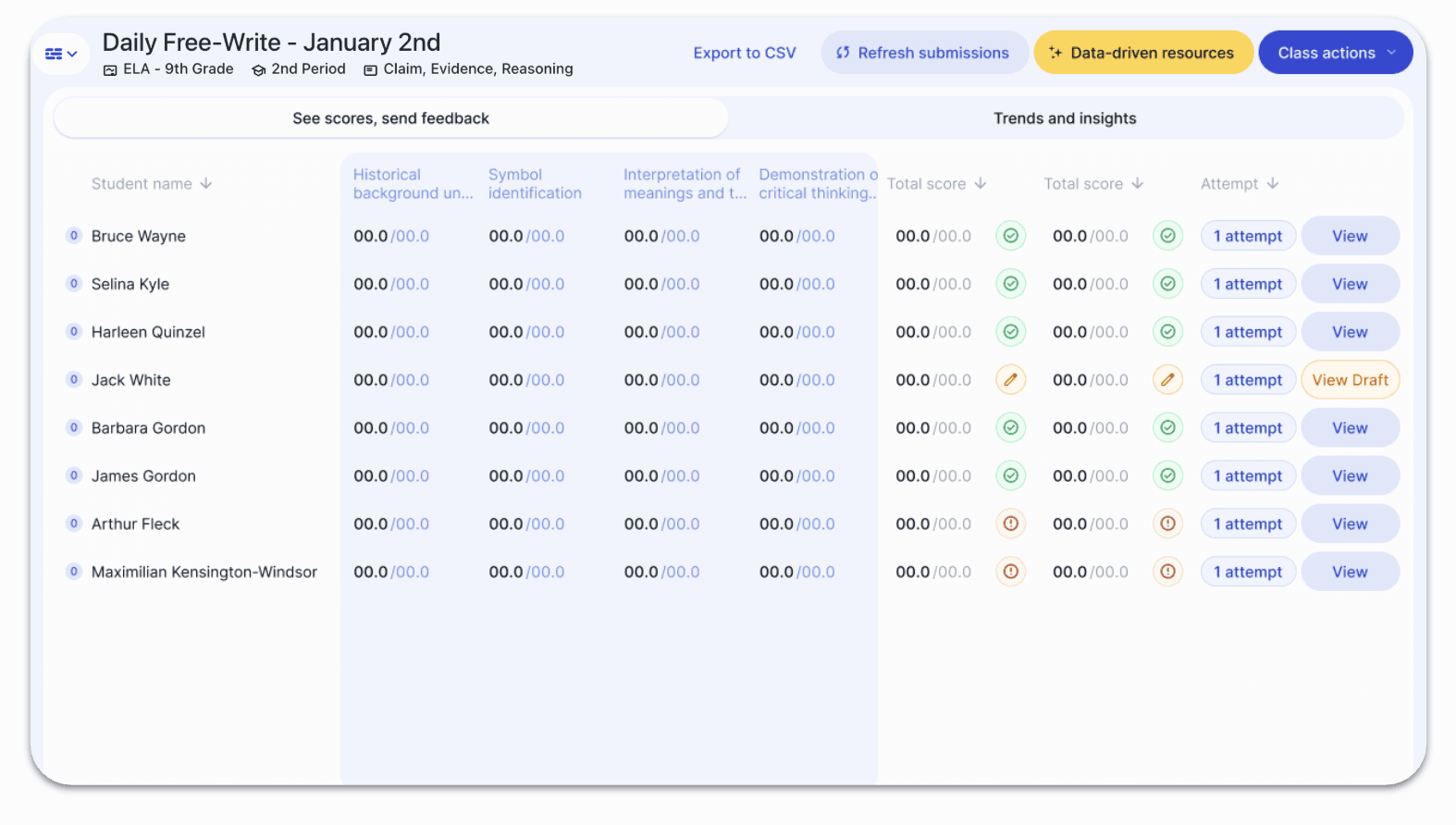
Step 2: View and force submit a student draft for AI grading
Next to any student attempt, click View Draft. This allows you to see the draft a student is actively working on while receiving AI writing feedback:
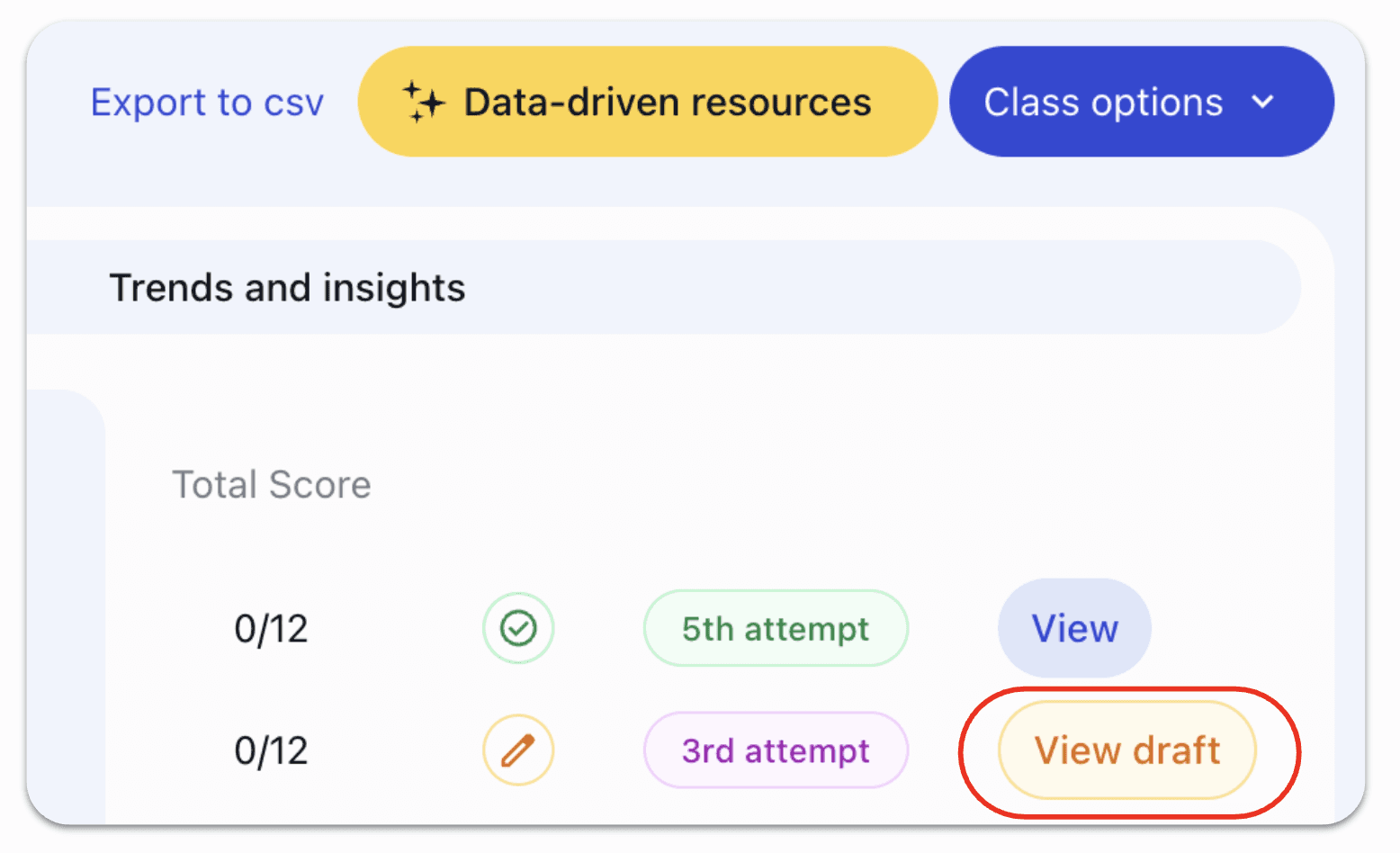
Then, you can view the individual draft and decide if you want to submit on behalf of the student. Click Force submit and it will automatically finalize what they have written and submit:
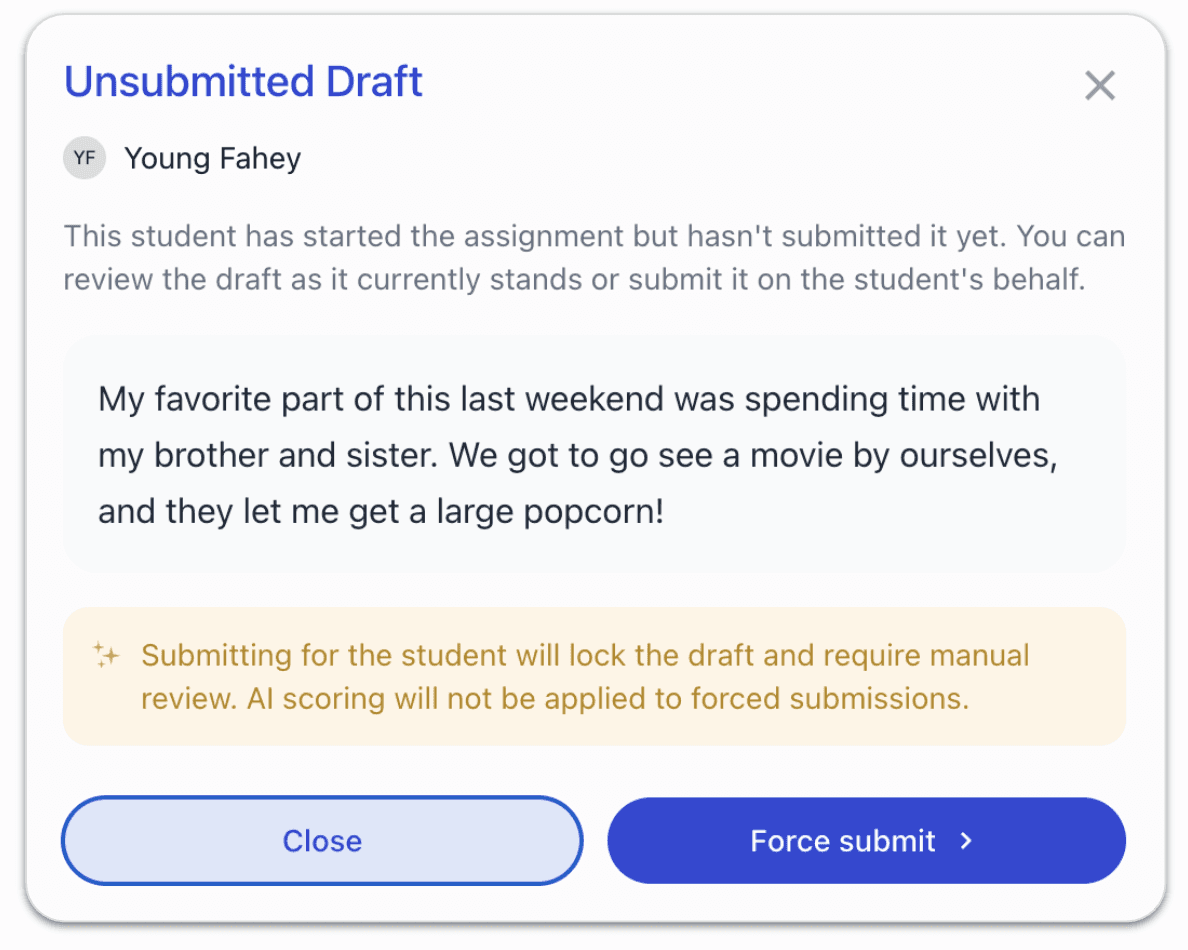
When a draft is force submitted, EnlightenAI automatically generates AI writing feedback and processes the submission.Then, you can click Review Now to visit that draft and see the writing:
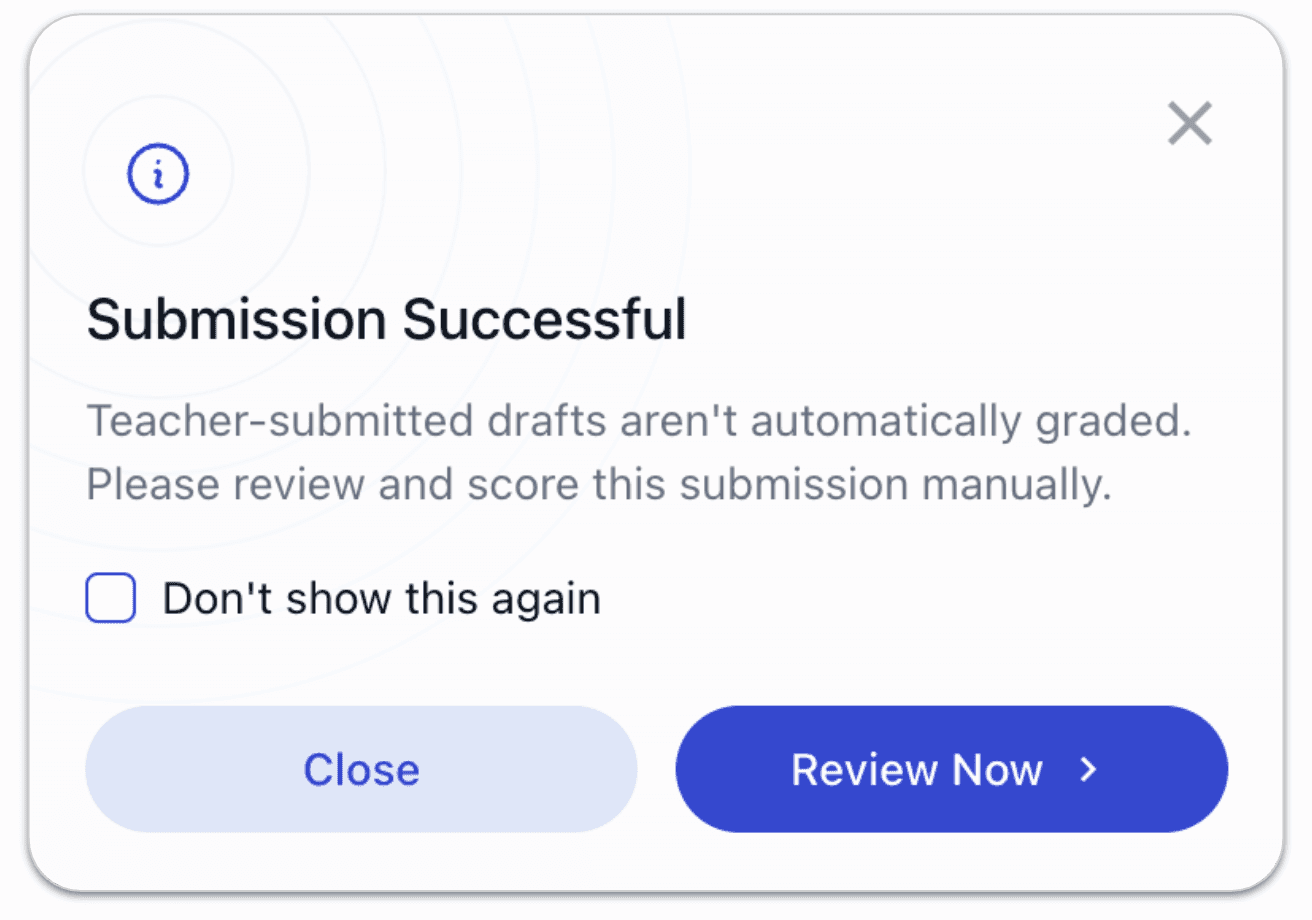
Step 3: Use Class Options to Manage AI Grading at Scale
From the AI grading summary screen, you will now see a Class Options button in the top-right corner:
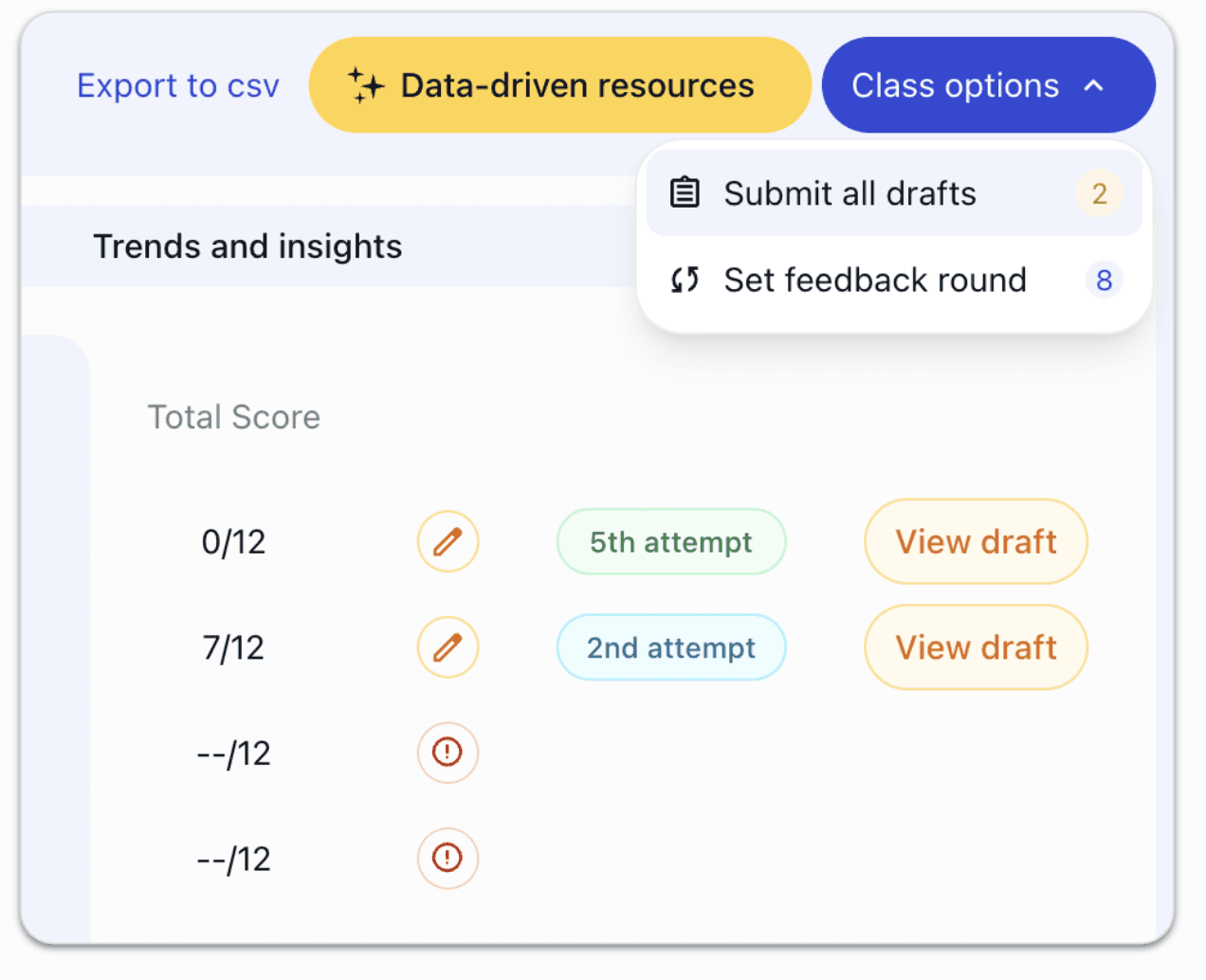
Within Class Options, EnlightenAI currently provides two key AI-powered tools:
Adjust AI Feedback Rounds
Teachers can manually increase the number of Immediate AI Feedback rounds students are allowed during an assignment, supporting deeper revision and learning through AI writing feedback.
(Learn more about AI feedback rounds here!)
Bulk Submit Drafts for AI Grading
Teachers can submit all currently open drafts for the entire class with one action:
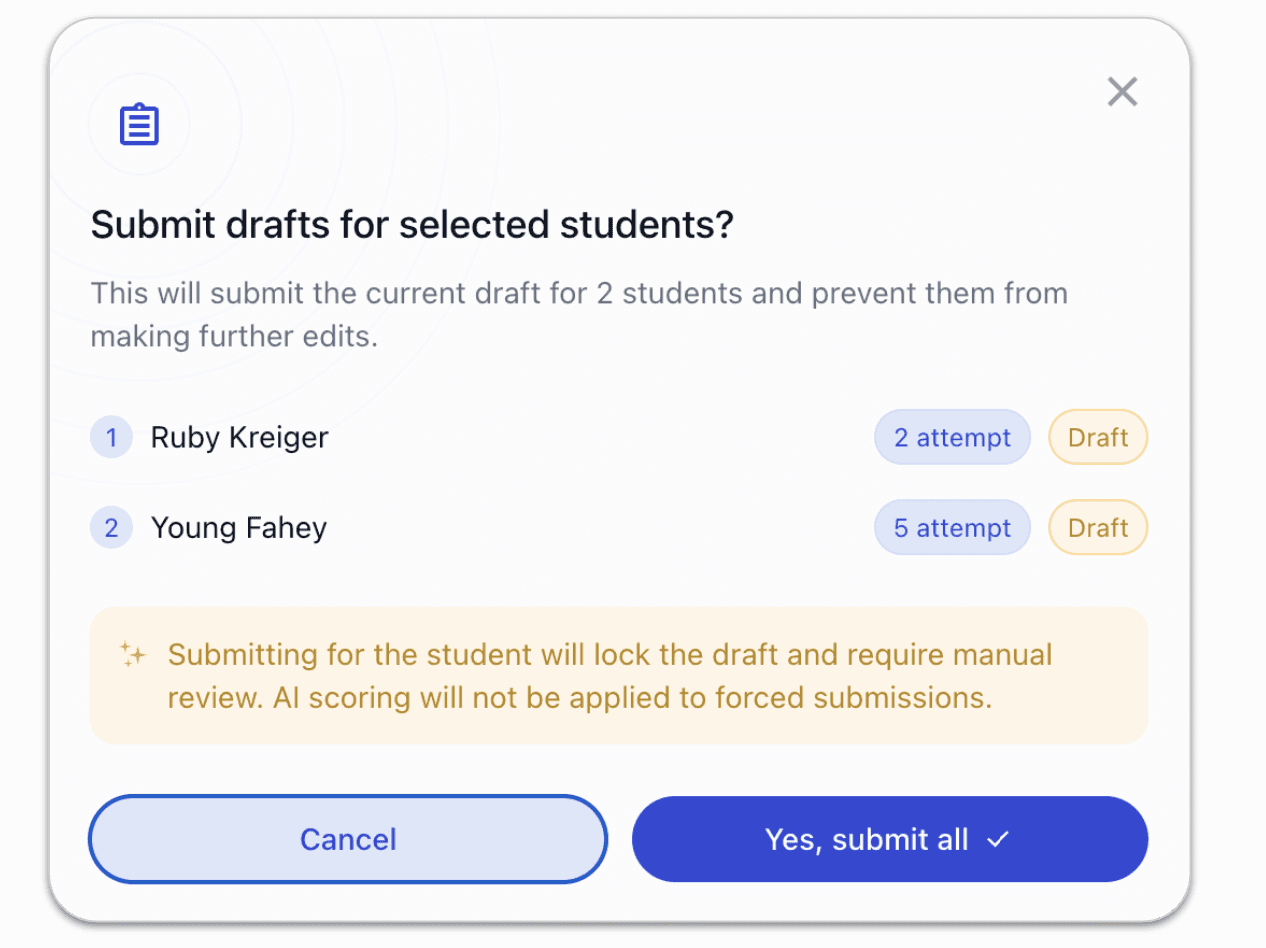
After confirming that you want to force submit, all drafts are submitted to the AI grader, and teachers are returned to the summary screen where they can review student writing and AI-generated feedback with confidence.
Why this matters for teachers using AI grading
These draft management tools are built to make AI-powered classroom workflows easier, clearer, and more reliable. Teachers using EnlightenAI can:
Stay on top of student writing progress in real time
Ensure all work is submitted before AI grading
Close assignments cleanly once AI feedback is complete
Spend less time tracking drafts and more time teaching
Most importantly, AI-assisted student work is never left incomplete or missing.
Looking ahead: AI-powered writing feedback in 2026
Throughout 2026, EnlightenAI will continue building AI-powered tools that help teachers manage classes more effectively, support student writing, and make AI grading more transparent and teacher-friendly.
We’re already working on additional class management features, and teacher feedback directly shapes our AI product roadmap.
If you’d like to share feedback, ideas, or priorities, we’d love to hear from you. Reach out anytime at support@enlightenme.ai. Every message helps guide what we build next.
Thank you to the teachers partnering with EnlightenAI to bring effective, responsible AI writing feedback into real classrooms.!
Feedback that arrives before students forget what they wrote
The research on feedback timing is consistent: comments that arrive days after submission land on students who have already moved on. The draft workflow in EnlightenAI is designed to flip that dynamic, submissions are scored against your rubric and feedback is ready within minutes, not days. Same-day feedback is the kind students actually read and use.
Change the feedback timeline for your class, try the AI grading tool.
Revision only works when feedback arrives before the deadline
Assigning a second draft doesn't improve writing if the first round of feedback arrives the night before it's due. The multi-draft workflow in EnlightenAI is built around the reality that revision needs time, and that students need feedback early enough to act on it. Feedback that arrives before the deadline is the only kind that drives real revision.
Build real revision cycles into your next assignment, try the AI essay grader.