

Key takeaways
Teachers can now translate AI or written feedback into any language directly inside the grading workflow.
Choose to replace the original feedback or add the translation below it — bilingual feedback is supported.
Translated feedback exports to CSV, PDF, and syncs to Google Classroom.
ELL families can finally participate in the revision conversation when feedback arrives in their language.
Translating feedback during AI grading
At EnlightenAI, we know that teachers are supporting an increasingly multilingual group of students. Many educators are working with dual language learners or students writing in languages other than English, and they’ve told us that providing clear, accessible feedback across languages is essential.
As the use of AI in schools grows, language accessibility needs to remain part of the conversation.
We've also heard that while essay grading AI and AI writing feedback can save time and improve consistency, teachers still need flexibility. Sometimes feedback needs to be translated for an individual student. Sometimes teachers want to provide feedback in both English and another language. And sometimes student writing itself is not in English.
We listened to your feedback! Now we've made it easy for teachers to translate feedback during the grading process, directly inside the side-by-side grading experience you already know in EnlightenAI.
What we built: feedback translation inside AI grading
Teachers can now translate feedback as part of the AI grading workflow in EnlightenAI. This keeps translation inside the existing AI essay grading process instead of requiring teachers to move feedback into a separate tool. This works for both teacher-written feedback and AI-generated writing feedback.
With this update, teachers can:
Translate feedback into another language for individual students
Choose whether to replace the original feedback or add the translated feedback below it
Provide bilingual feedback when helpful
Continue using all existing AI grading, exporting, and integration features
This functionality is built directly into the side-by-side grading experience, where teachers already train, calibrate, and refine their AI writing grader. Nothing about the broader workflow changes, it simply becomes more flexible and more inclusive.
How to translate feedback during grading
Step one: gather student submissions for grading
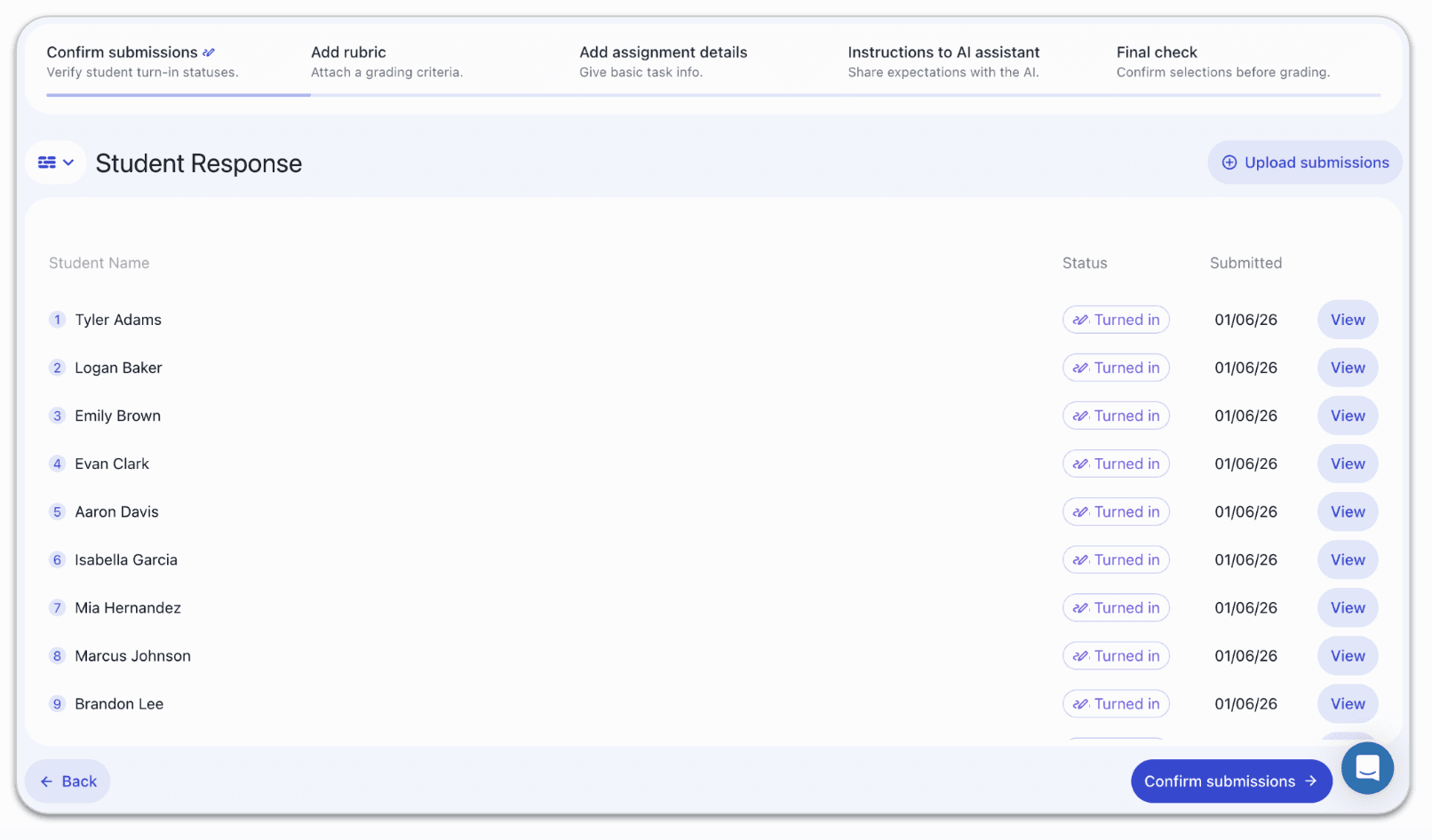
Start by gathering a set of student submissions for AI grading. These submissions can come from Google Classroom, a spreadsheet upload, or any other supported source in EnlightenAI. This can include anything from a short classroom response to an AP Lang synthesis essay. Set up your assignment as usual and enter your rubric to prepare for AI grading and AI writing feedback:
Step two: open the side-by-side grading screen
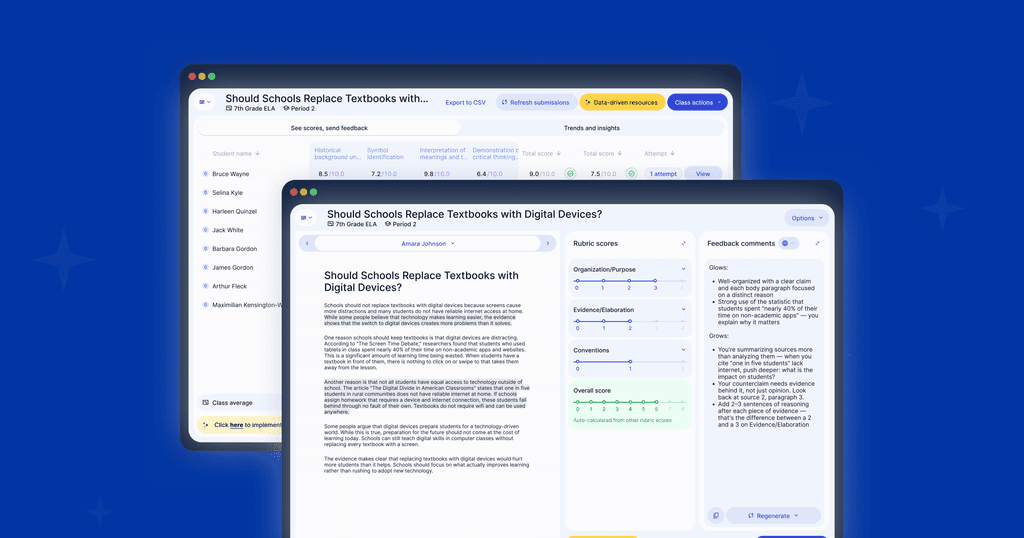
Once submissions are ready, begin grading in the side-by-side grading view. This is where you review student writing, see AI-generated feedback, and refine feedback as needed.
Next to the feedback comments area, you’ll now see a small translation icon:
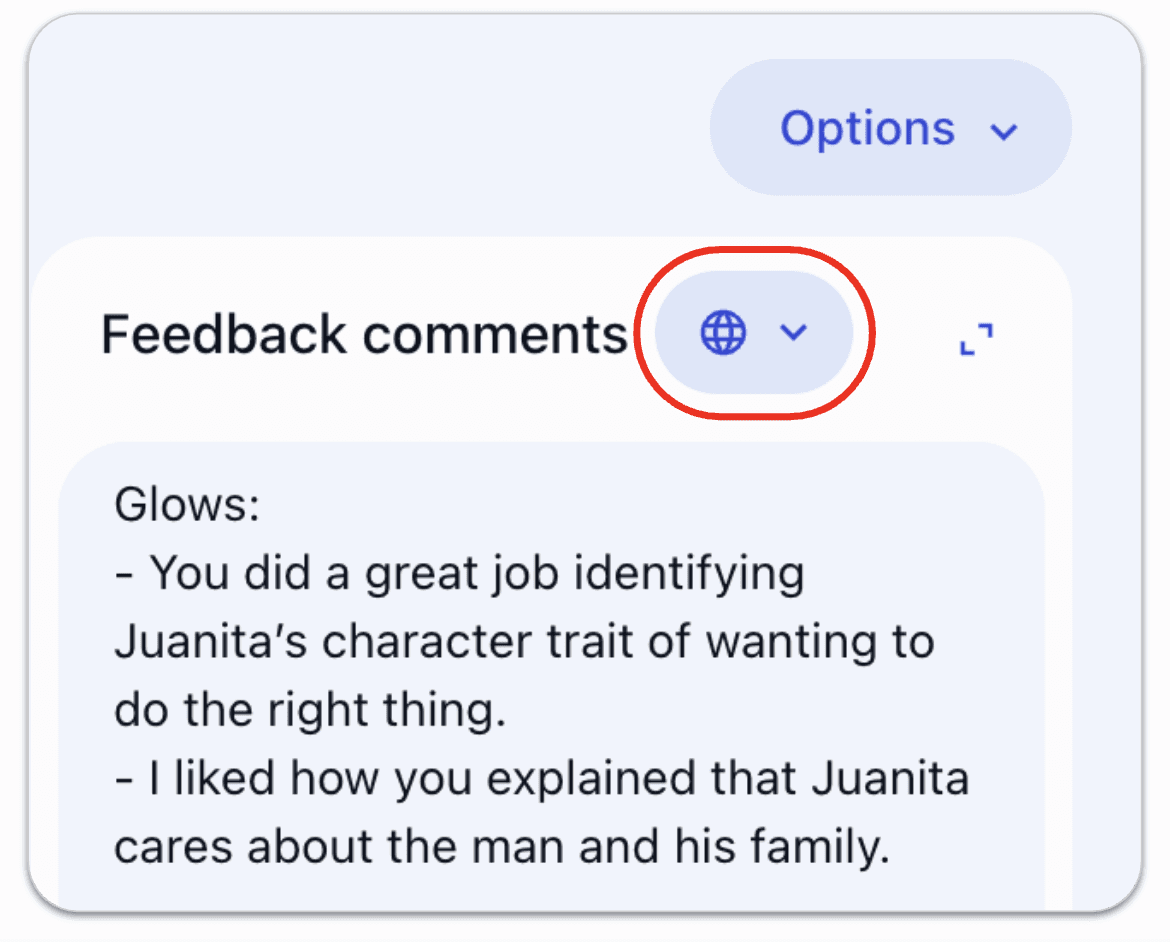
Step three: translate AI-generated or teacher-written feedback
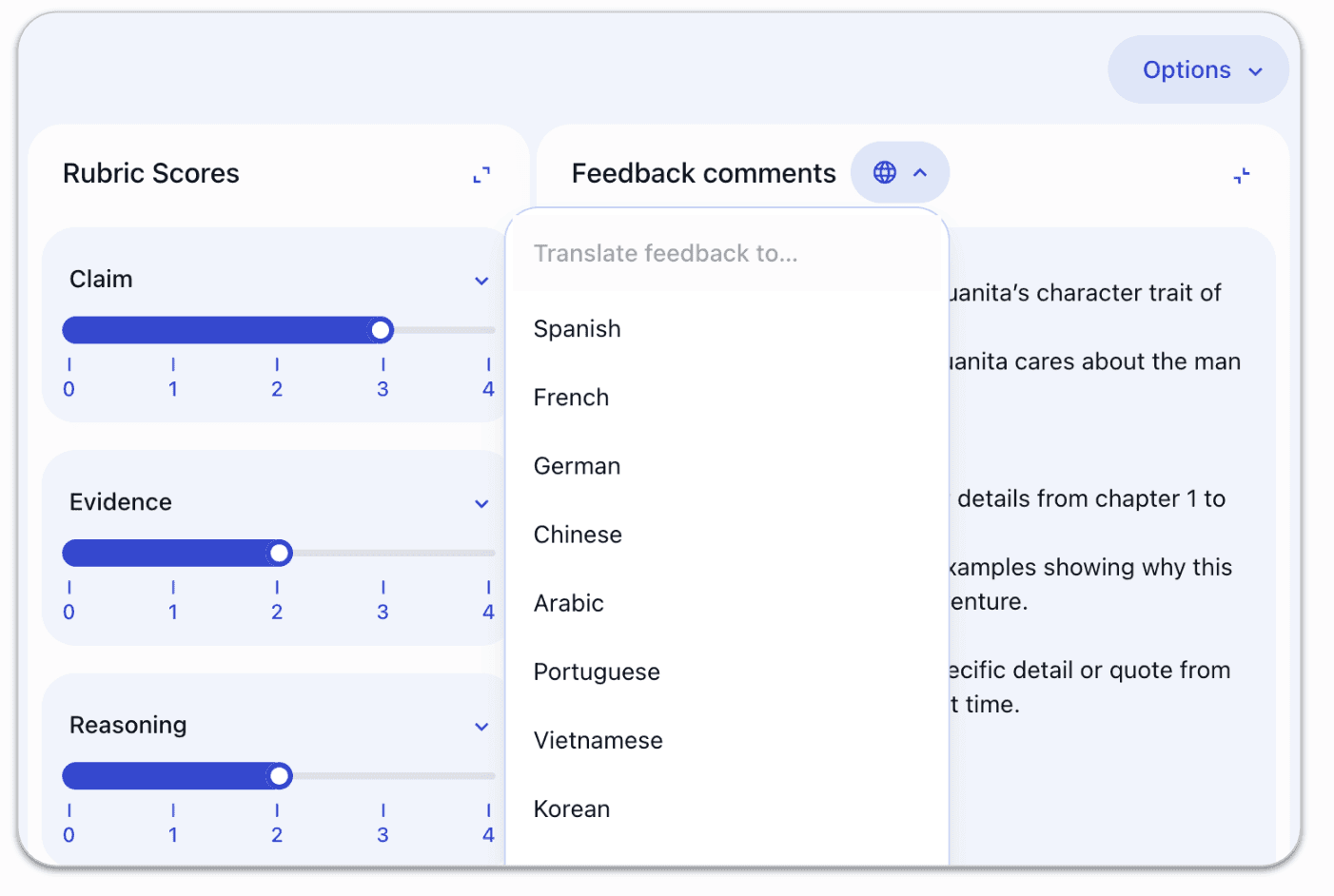
Click the translation icon to open the feedback translation options. From here, select the language you’d like to translate the feedback into:
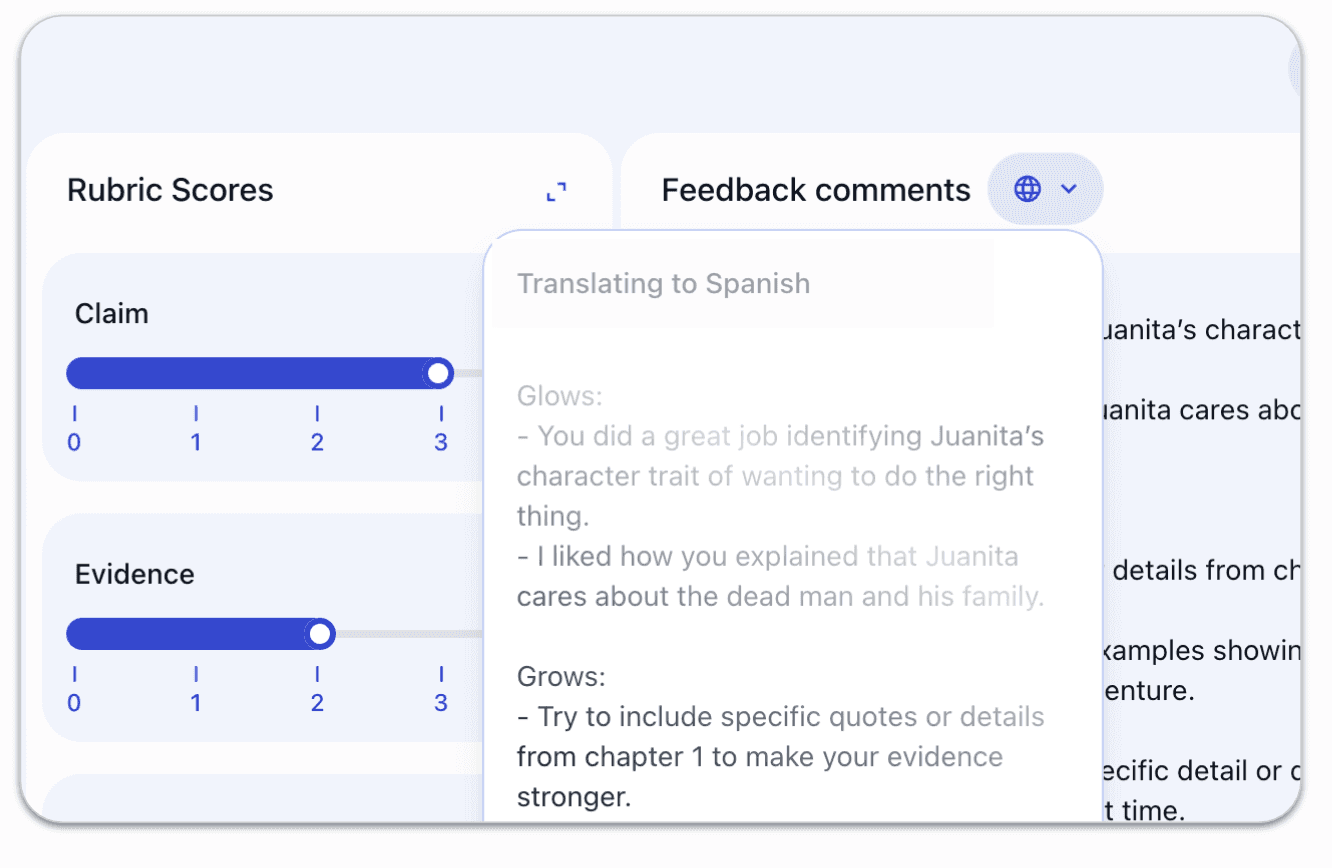
You’ll see a brief indicator showing that the feedback is being translated:
Step four: choose how to apply the translation
Once the translation is complete, you’ll have two options:
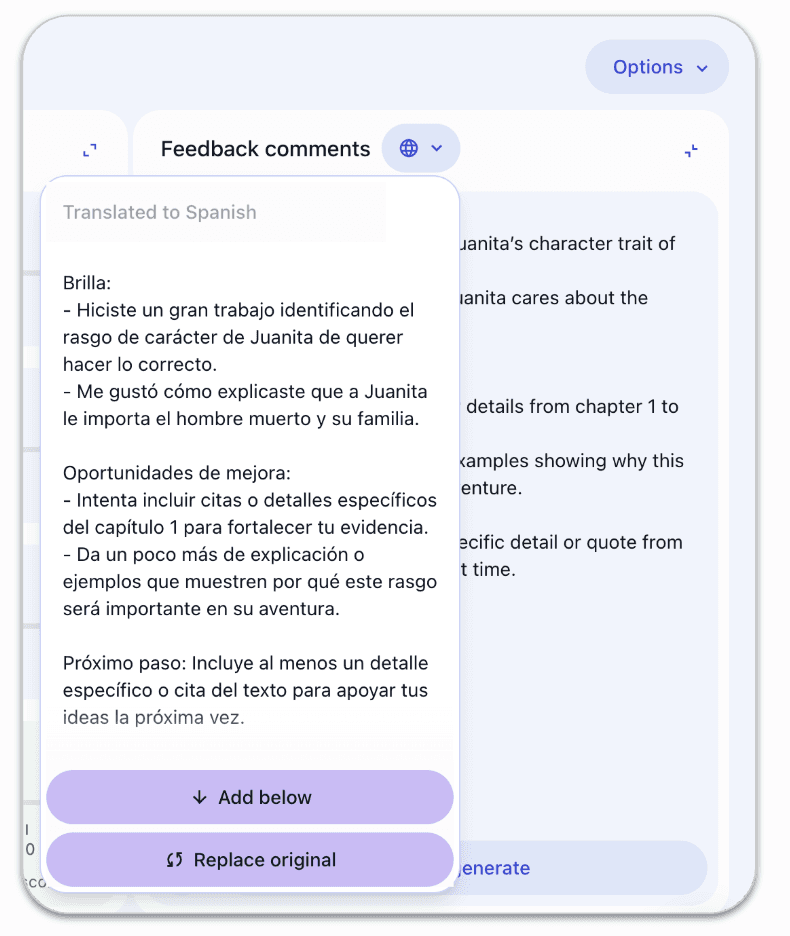
Add below, which keeps the original feedback and adds the translated version underneath
Replace original, which replaces all existing feedback text with the translated version
This allows you to tailor feedback exactly to each student’s needs, whether that means bilingual feedback or feedback fully translated into another language.
After translating feedback, everything else works exactly the same. You can continue grading, refining AI writing feedback, and finalizing comments.
Teachers can also use these same workflows to grade essays faster while maintaining consistent, rubric-aligned feedback.
All translated feedback:
Can be downloaded as CSV files
Can be exported to PDF
Can be synced back to Google Classroom if you’re using the Google Classroom integration
Clear language is especially important when using essay grading ai to support student revision.
Thoughtful ai grading software should make feedback easier for students to understand and use.
Clear, usable feedback also helps teachers grade essays faster while keeping revision meaningful.
An essay rubric generator can make feedback language more traceable to the criteria students are using.
Student-facing language is essential for effective ai writing feedback that students can understand and act on.
An ai grading assistant should make feedback clearer and more useful to students.
Effective ap lang essay grader should connect rubric language to clear next steps for students.
An ai essay grader should turn scoring criteria into feedback students can use.
Why this matters for teachers
This update helps teachers support dual language learners without adding extra steps or tools. Bilingual feedback can also support scaffolded instruction by making expectations and revision steps easier for students to understand. Feedback translation is now part of the same AI-powered grading workflow teachers already rely on in EnlightenAI. It's also one of the features that sets EnlightenAI apart among AI grading tools for teachers.
Teachers can:
Provide more accessible feedback to students
Support multilingual classrooms more effectively
Maintain consistency across their AI grading assistant and written feedback
Save time without sacrificing clarity or personalization
That's the same principle behind ai for grading consistency — one standard held steady, no matter which language the feedback goes out in.
Looking ahead
We’re incredibly grateful to the teachers who shared this feedback with us. Your input directly shapes how EnlightenAI evolves, and features like this are built because you told us what you need in real classrooms. This process of gathering evidence, reflecting on practice, and improving instruction also connects to the broader question of what is instructional coaching.
If you have ideas, questions, or priorities you’d like to share, we encourage you to reach out to us at support@enlightenme.ai. We read every message and use your feedback to guide what we build next.
As 2026 continues, we're excited to keep expanding our AI grading software and tools that help teachers support every student, in every classroom, more effectively.
Feedback that families can actually read
Rubric-aligned comments are only useful if the family can understand them. For ELL students, sending home feedback in a language parents can't read cuts the family out of the revision conversation entirely. Translation at the point of grading closes that gap without adding a step to the teacher's workflow. Clearer communication with students and families can also strengthen classroom engagement strategies by making revision feel more accessible and collaborative.
Grade in English and communicate in every language, try the AI grading tool. That flexibility is part of what makes it a genuine automated essay grader, not just a scoring tool bolted onto a translator. An ai feedback generator built to translate at the point of grading is what keeps that flexibility from becoming a separate, extra step.
When ELL families can read the feedback, everything changes
ELL students often can't get help at home because feedback comes back in English their families don't read. This feature doesn't translate a generic summary, it translates the specific, rubric-aligned comments the essay earned. For the first time, ELL families can participate in the revision conversation.
Give every family access to the feedback, try the AI essay grader today. It's this kind of flexibility that makes EnlightenAI stand out among options for an essay grader for teachers.